Hi everyone, I want to use some presets like “Ambient Piano Pad”, “Arcadian Pluck” from Analog Lab V but these presets have an analog white noise, like a tape noise. I want to remove that sound but in browser of these presets, I try all the parameters but I can’t remove that analog white noise sound. How can I remove it? Can you help me? I use FL Studio.
Hi @ozyurtz804. Welcome to the community.’
In the Arcadian Pluck preset the noise come from Juno’s Chorus. It’s authentic. But it can be removed in the hidden dispersion panel at the top left, if you own the full version of Juno-6 V.
Are you sure you hear noise in the Ambient Piano Pad preset?
I can imagine it’s the sound from Partial 1 you hear as noise. If you don’t wan’t it, then you need the full version af Synclavier V to remove it. Also if you still think it’s output noise.
Do you have the full versions of the instruments? You can’t remove it, if you only own Analog Lab.
1 Like
Hi @ozyurtz804 and welcome to The Sound Explorers Forum!
If you have the ‘Pro’ version of AnalogLab V, then you can dig VERY deeply into the preset by clicking on the icon to the left of the name on the main page as indicated below in yellow…
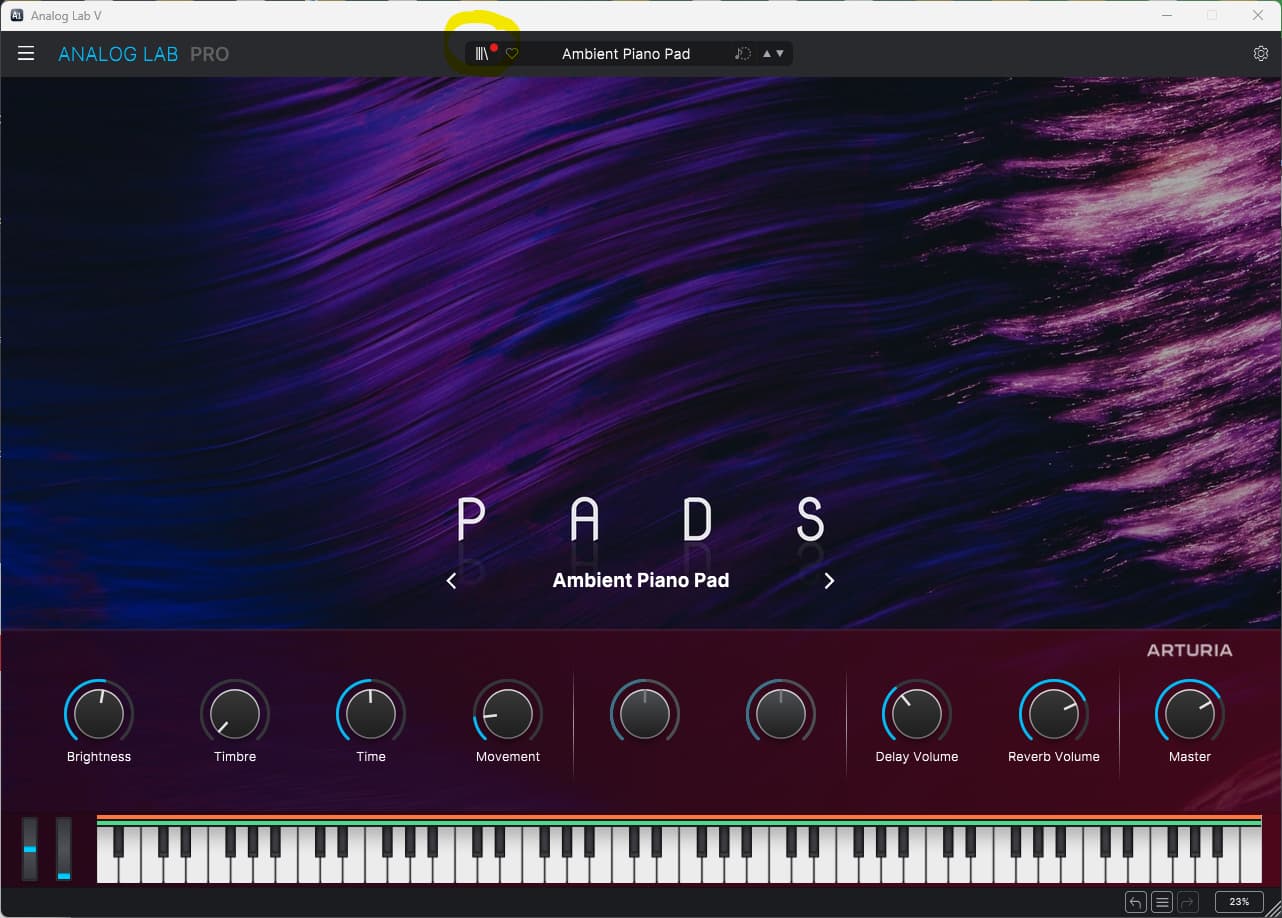
Then in the left hand column, click on 'Explore and you’ll see the following screen, then click on ‘Edit Preset’ as seen above the Reverb Vol and Master knobs at the bottom right side of the screen.
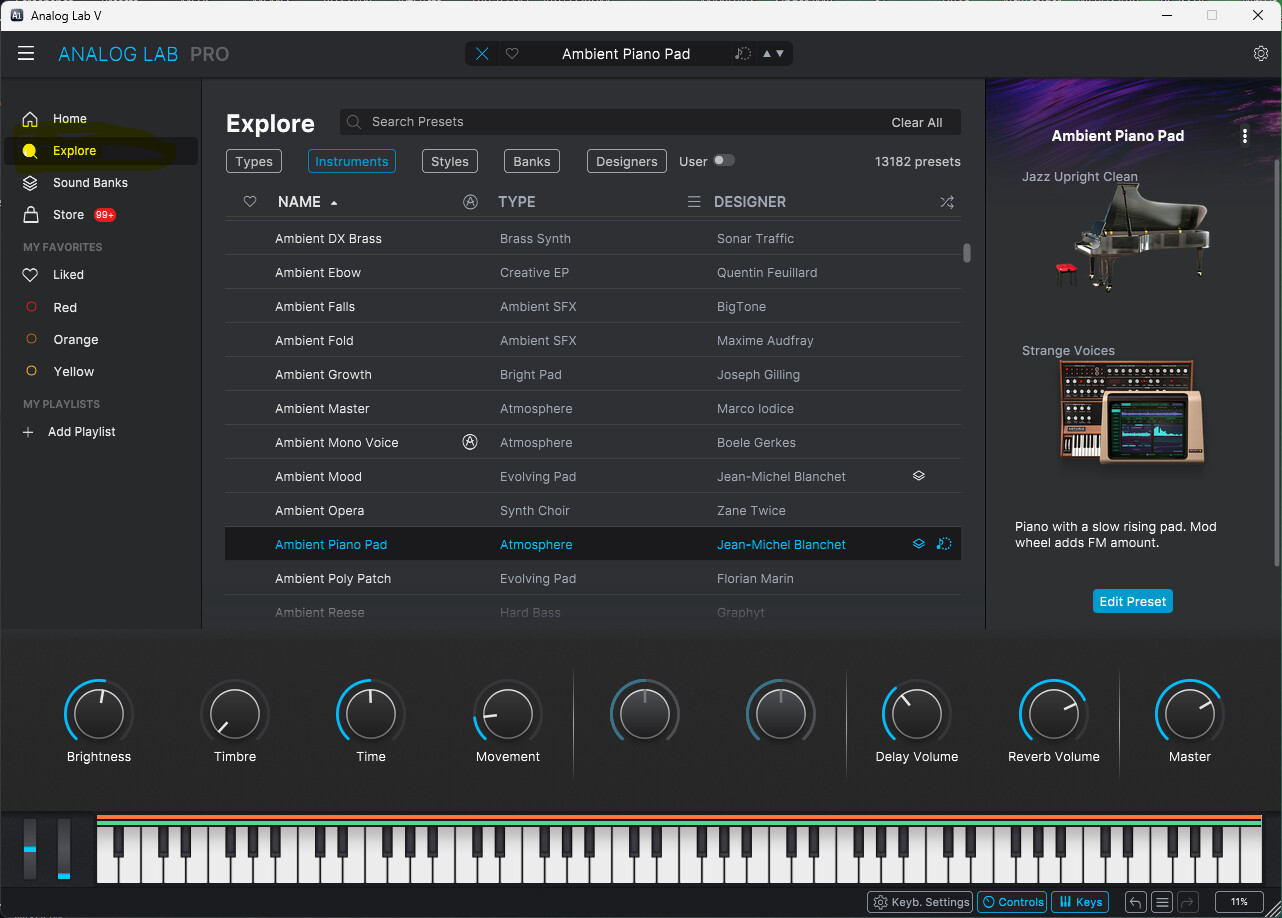
You’ll then see this screen, youll notice in the top left hand there are pictures of each instrument included in the preset, in this case Piano V in part one and Synclavier V in part two, just click on the ‘open’ text below either instrument to go to that specific instruments part of the preset.
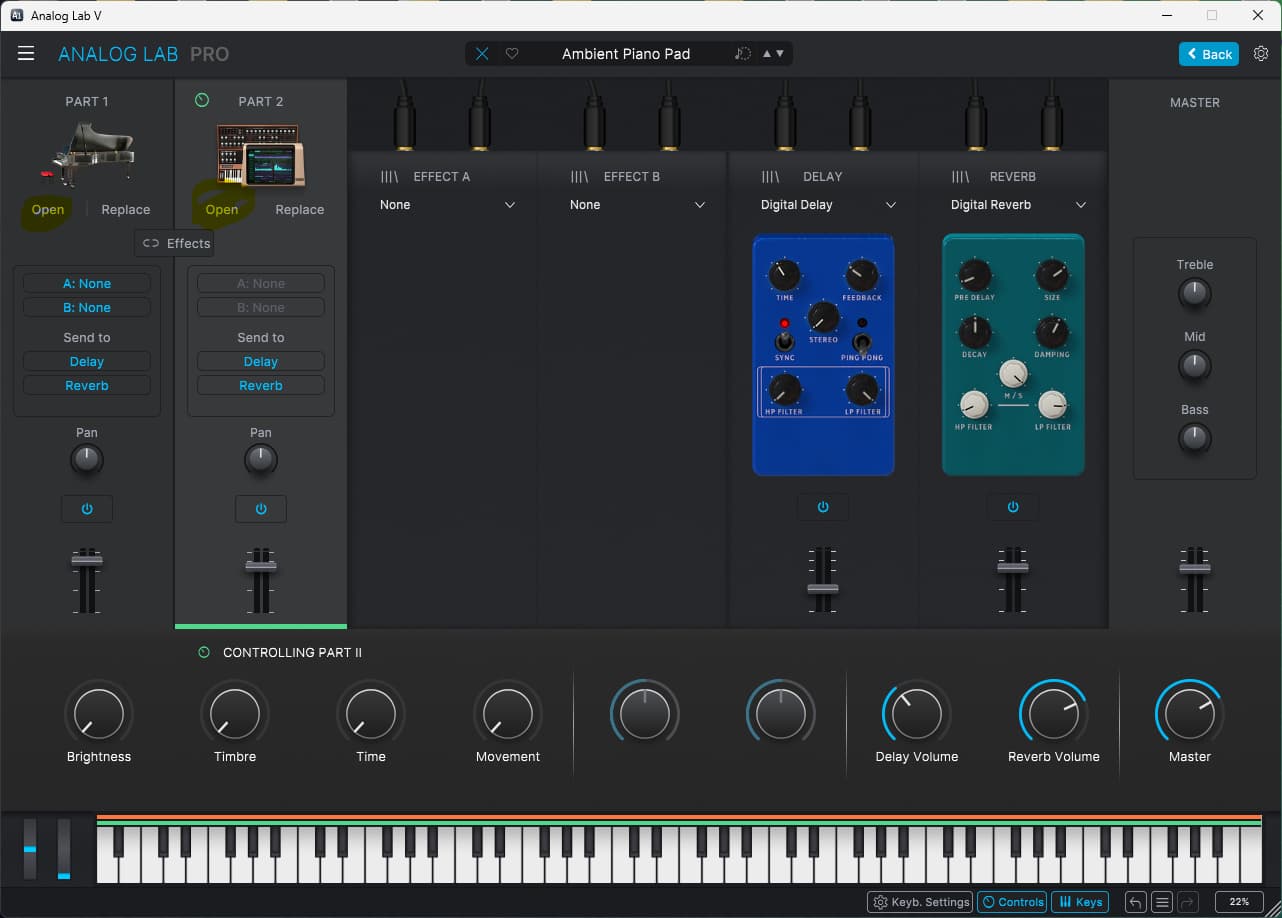
We’ll go with the Piano V in this case, you’ll see the following screen below…
click on 'advanced in the upper right hand corner and you’ll see the pic after where you’ll be able to alter settings for that instrument, you’ll be able to do the same for the Synclavier V on the corresponding page.
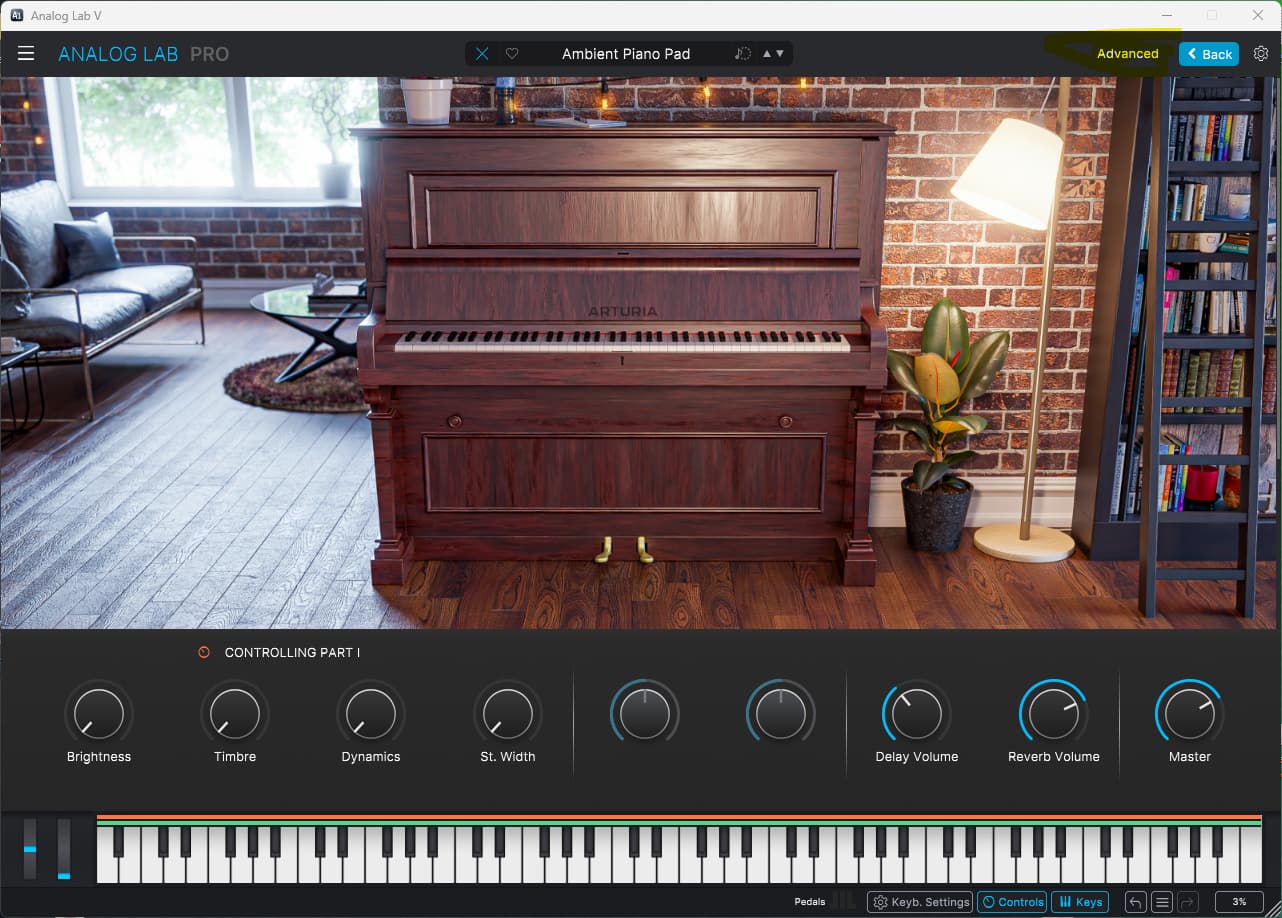
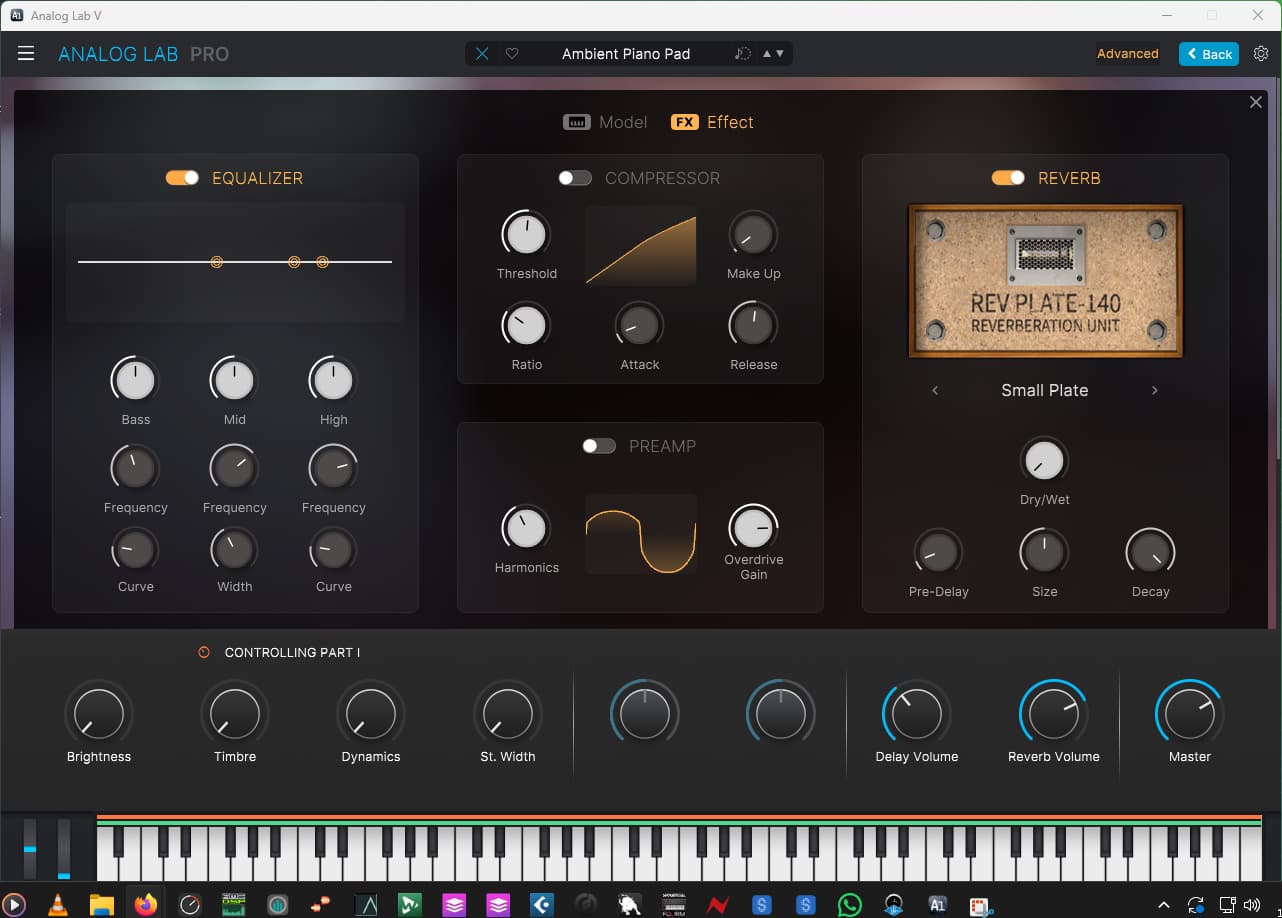
Hope that helps!
2 Likes
I traced what I think you are referring to in the Arcadian Pluck patch. After turning off all effects, there was still a 'hissing" which is what I think you mean. The CS80 patch uses White Noise on Oscilator 1 and 2. Turning this down removed the hissing. You will of course need full copies of any instruments you want to tweak at this level.
I need to update the plugin, after that I’ll apply all the steps that you wrote, thank you so much
1 Like
Great stuff!
That’s what we’re here for 

I’ll close this now as it’s resolved.