I have a Keylab II 88 connected to my Mac Pro. The Mac Pro is on Snow leopard.
I allso have connected a Korg Taktile 49. When I start up Pro Tools or use stand alone v- instruments the keylab does stop responding.
Is there behavior I can change in Midi control center? I have updated to 1.3 firmware. The latest and greatest.
Hi @Muziekschuur
If i understand you correctly, you wish to have your KL88 as your default controller?
You should be able to do this within the options of each piece of software you’re using.
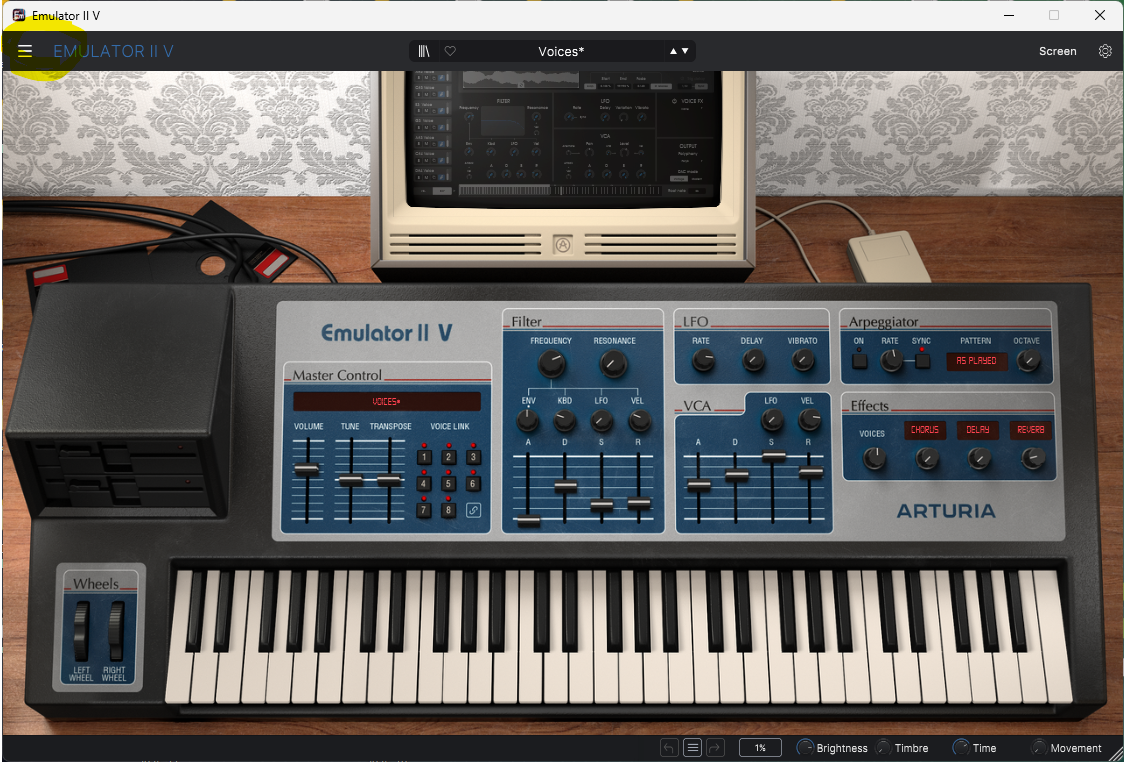
For Arturia Plugins and Standalone instruments, click on the ‘hamburger icon’ in the top left-hand corner, as in the pic below. I used EMU V as i had it open at the time…
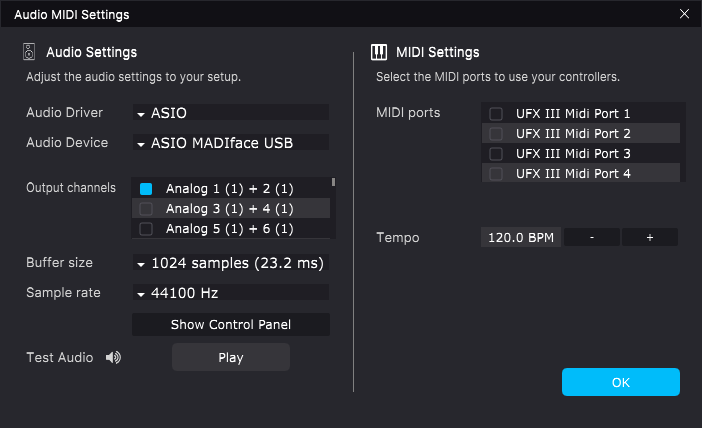
Select ‘Audio Midi Settings’ and you’ll get the drop-down menu as below.
Set your midi ports to the ones you wish to use, in this case your KL 88,
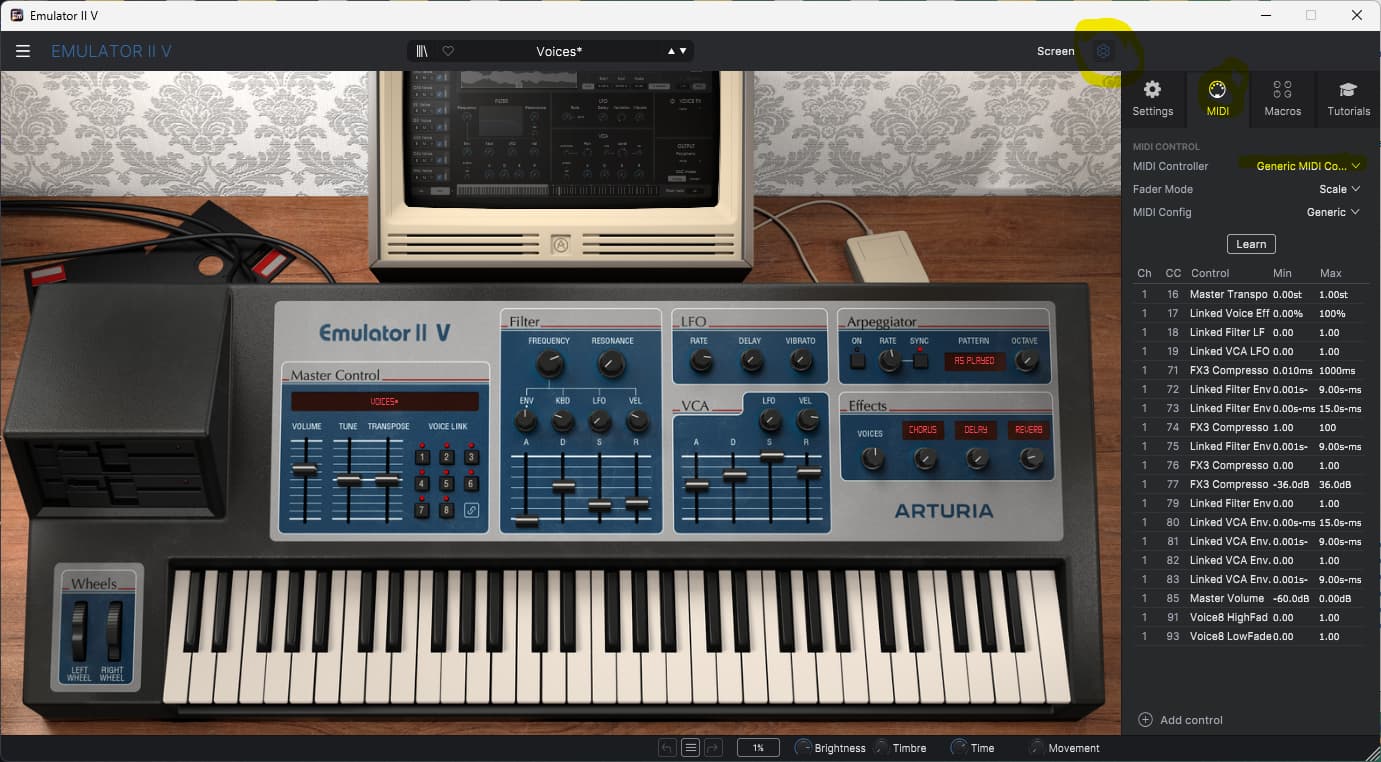
Then close that menu and click on the ‘cog’ icon in the top right-hand corner to show the settings menu, select the ‘midi’ tab as outlined below, and you’ see the drop-down list of different controllers, select ‘Keylab MK II’ and you should be up and running.
Hope that was what you were wanting!
So I cannot have two keyboards selected?
Not on standalone instruments, it would seem, unless you used some kind of midi merge device beforehand. This is how we used to do it pre USB Midi.
That would require using ‘DIN’ Midi as opposed to having a USB Midi device also… Unless of course there’s a device on the market which can do both, which i’m not aware of.
I’m not sure about other DAWs, but in Cubase this is very easy to get around by using ‘any midi input’.
HTH!
I owned a Roland UM880 in a previous setup. With 8x8 din connectors I had low level midi connections that would have no problem.
But even when the plugin has just been installed. And no usb midi i/o is chosen the keylab often does not respond but the Korg taktile 49 simply works.
I even want to make it more complicated. (This is for the usb driver ‘recognising part’ perhaps difficult. )
I have two usb switchers. So I can switch between a laptop (Macbook Pro 13 inch with Mac OS catalina) with V-instruments and a software player. Where I want to connect two keyboards. But when I am alone I want to switch both boxes so the keyboards work with my Mac Pro with PT10 on OSX 8.10 (snow leopard).
Yes, it’s the USB that’s causing the issue, you could try doing some web searches to see if there are any hardware midi devices out there, or possibly a software solution, that can handle what you’re after.
HTH!
Thank you so much. I do some crazy things. It’s appriciated if somebody checks my work/mistakes. For clarity those USB switchers are still in closed boxes with folie around it.
1 Like
I keep having issues the two keyboards not playing nice. If I deselect the Korg and force the Arturia it still won’t after it lost connection.
I don’t think what you’re trying to do is possible, at least over USB as each manufacturer often has their own, proprietary driver, so getting multiple USB drivers for different keyboard from different manufacturers sounds pretty optimistic at best.
It would be VERY easy to do via DIN Midi and a Midi merge box, though. If i were trying to do what you are, that is the direction i would take.
Yes. The 4 192 boxes have each midi i/o. A avid 8 ch. midi box doesn’t break the bank either.
I might permanently connect the keylab to the laptop. So I take it out of the equation.
My Mac Pro has 2 6 core cpu’s and 128 gb ram. I was hoping to max this kitty out. Together with the HD3 cards.
Often, the simplest solutions are the best and most reliable.
‘DIN Midi’ might not be the quickest any more, but it’s still highly reliable and easy to work with.
Agreed. The Roland UM880 was incredibly reliable. You pay secondhand the price a new one costed. Go figure.
That was on Windows. I switched to Mac a few years ago. Just out of fun. First a 2012 quadcore mac mini. I put two Ssd’s in it. 16 gb ram. And off it went.
Then for fun and giggles I bought a Mac Pro intel quadcore. I got a dual quad. Then had fun with upgrading the cpu’s to 6 cores. Then looked at new ram. And saw the low prices. Got 128 gb ram. From there on out things developed. I had quite a setup. Promised myself never to go that route again (60.000 euro’s). Well. I noticed I was not satisfied with a single mic and 2 channel interface. … the rest is in the photo’s. Building and testing is the stuff I do in my free time.
I don’t really fancy restaurants, bars, drinking… I prefer to do something like this.
I haven’t even started about my Roland drumkit with two brains.
I had a Bag End P.a. system (Crystal) (with an elf processor meaning the subs did 8 hz) and a 5.1 mixing board for live (20 kw). I just like the complicated stuff I think.
There is this French company that made military equipment. But they allso made microphones. If I ever get the opportunity. I like that stuff. Let me search for that name…
Lol, That’s ONE way of putting it. 
I get you, the challenge of certain aspects is half of the fun for some of us, i think.
I havent even started about midi 2.0 .
That would be something.
on the gearspace / gearslutz forum in the midi 2.0 thread you can read up on the development of midi 2,0.
I have a Roland Rhodes 760 keyboard from … '89 I think.
When you blend the strings of that with one of the arturia suite… it creates this vibrating string blanket.
Then it’s allso possible to play six sounds when you use it like a soundmodule.
I have been experimenting with adding about 6 arturia softsynths. And then I installed addictive drums 1 and 2. I have had that license since I dunno… 10 years. Because Pro tools 10 is a 32 bit app it got buggy.
I then used setup and gave the app the ability to use 64gb ram. for buffering audio. But that did not seem to help.
so that’s fine.
I will connect the Korg over midi i/o and keep the Keylab II over usb. I will do some more testing as I am building several templates so I can recall a template and start working on recording a song.
In the mean time I will create as many ways to crash the system to know it’s limits.
I bought two extra midi cables. I hope the keylab mk2 and the Spark 2 share the same midi usb driver. I connected the Korg to the Spark midi i/o. Hope that works.
Cables arrived yesterday evening late.
I could buy a digidesign 8x8 midi rack interface. But I cannot find anything on that thing. Since the Spark has midi i/O I thought lets go that route.