Pigments 7 Feature Request

Hello la team de develloper de Pigments, merci à nouveau pour l’update qui est très quali (les enveloppes et le CPU c’est super), et merci pour tout le taf effectué depuis le début, moi c’est Pigments for life, j’en ai essayé d’autres mais je suis revenu. Bon courage pour la suite

Voici quelques suggestions de features pour la V8

GENERAL

  • Resoudre le bug qui crée des enorme fichiers lors de l’export d’une banque de preset qui est sensé être 10 x moins lourde (VRAIMENT IMPORTANT)
  • Possibilité de creer des skins (je pense que ça crée des utilisateurs plus engagés de pouvoir creer ou utiliser des skins customs
  • Possibilité de mettre en free le declenchement dun LFO lorque arpegio activé
  • Pouvoir restreindre ou diviser le clavier
  • Pouvoir copier coller un reglage d’enveloppe, de LFO ou autre modulateurs (et pourquoi avoir des presets comme pour les effets)

FX

  • Possibilité d’avoir tout les filtres (Mini, MS20 etc…) disponibles dans les slots FX
  • Ajouter un effet lecteur d’impulse responses (ouvre enormement de possibilités en terme de sound design)
  • Ajouter un effet clipper
  • Possibilité de mapper une bande de l’EQ en Keyboard tracking mais quantizé aux note (comme dans la partie Filtre)
  • Sur l’effet delay, pouvoir choisir la time signature pour chaque coté de la stereo
  • Une bande EQ mid dans les reverb et delay pour shaper rapidement la couleur

ROUTING

  • Possibilité d’envoyer la sortié dun Engine en bypassant tout (filtres, effets) comme avec l’oscilateur de l’utility engine
  • Possibilité d’utiliser le rack de retour comme 3 eme rack d’effet (ou tout autre solution permettant plus de modularité dans les rack d’effets et de retour)

FONCIONALITES INNOVANTES

  • Possibilité de resampler facilement un son qu’on vient de jouer ou le transformer en wavetable (voir Vital et Serum 2)
  • Un modulateur similaire à l’enveloppe follower mais qui prend en compte le nombre de note midi jouées en meme temps (par exemple pour assigner au drive et ne pas se retrouver avec un accord qui fait saturer trop fort)
  • Des boutons switch en plus des macros (pour activer ou desactiver une fonction ou switcher entre 2 valeurs)
  • 2 macros en plus ce serait chouette car parfois trop de choses interessantes à moduler (pourquoi pas ajouter les macros en fonction des besoins avec un bouton +, pour garder l’interface clean)

SEQUENCER

  • Sequencer : possibilité d’avoir plusieurs clips (voir Serum 2), (utile quand on est dans un time frame rapide qui finit vite)
  • Possibilité d’assigner le amount de randomness (des dés) via macro
    De maniere generale toute amelioration en terme de souplesse serait bienvenue sur le sequencer, je galere enormement quand je veut faire une suite d’accords notament, pour les renversements par exemple. La possibilité de superposer 2 melodies differentes serait génial

MODULATIONS
Possibilité de moduler les points de curve dans Functions (avec un macro ou LFO) ou des parametres supplementaires comme “smooth”
2 Likes

Update 1 : Avoir des boutons Phase pour les oscillateurs analogiques

1 Like

Update 2 : Possibilité de naviguer dans des menus deroulant en cliquant plusieurs fois sur le bouton, ou avec des fleches gauches/droites (le moins il y a besoin d’ouvrir de menus deroulants le mieux c’est)

1 Like

Update 3 : Au niveau des dés (dédé) dans le sequencer, la possibilité de choisir le sens de l’aleatoire serait super (valeures au dessus ou au dessous de la position de la petite barre.
Ex : des fois on a envie de randomness sur les octaves mais uniquement les octaves au dessus. Idem pour d’autres parametres

1 Like

Update 4 : Pour les macros, avoir un reglage de curve (logarithmique ou exponentiel)

Update 5 : Possibilité de n’utiliser le sequencer que sur un Engine

Update 6 : Possibiliter de drag & drop un sample directement dans le sampler

1 Like

Update 7 : Possibilité de bouger la tête de lecture du sequencer via une fonction par exemple (comme dans le mode random du sequencer, mais controlable)

Update 8 : Possibilité de router un Engine directement dans un rack d’effet ou directement en Send

1 Like

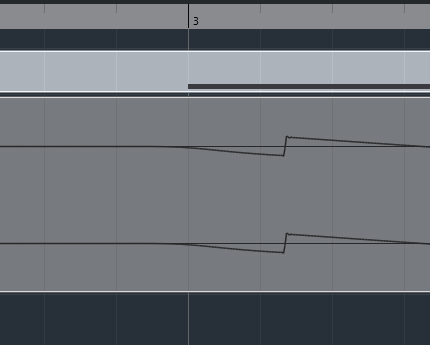
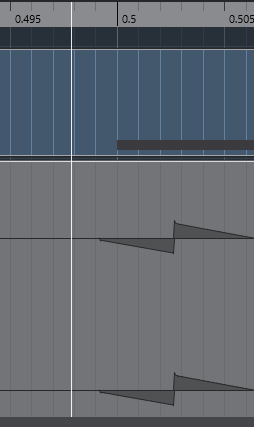
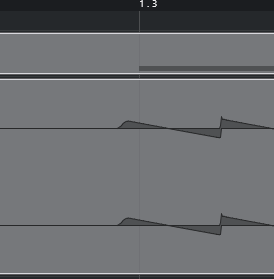
I have a question for you: do you see the timing problem? For example, I use a psytrance bass. When I use Serum, Vital, or Current, every 1/16 note lands exactly in the same place on the grid. In Pigments, every note hits in a different place, sometimes before the grid, sometimes after it.

I tried this with different sample rate settings, different sampling frequencies, in different DAWs, using different audio interfaces and on different computers. You can see it after rendering it to audio or by using an oscilloscope.

The problem only does not occur at specific BPMs — 30 BPM and its multiples, for example 120 BPM and 150 BPM. It is extremely annoying.

Apart from fixing this bug, it would also be useful to have a phase slider that would allow you to set the range of its randomness, like in Serum.
::

It never occured to me that Pigments would be not in sync with my DAW. Is it possible to share the patch you’re referring to?

You can do that. With the analog engine, in the top left corner there’s the “TUNE” menu (above the Q), the Drift setting there is what determines this. Default is at 1%, your patch may have a much higher value in it. Or if it’s 1% and it’s still bothering you, you can set it to 0%. This will make your patch sound less lively, but make it punchier.

If your patch is using the wavetable engine instead, in the unison module you can change the phase. If you pull the phase knob all to the left, you’ll also get the synced sound, this requires to have at least 2 unison voices active, though. With 4 the effect becomes stronger.

Could you try checking this on an oscilloscope rather than just listening to it?

Set the project to 48 kHz, create a completely empty Pigments preset with only a single oscillator, and play consecutive 1/16 notes. Leave enough space between the notes — roughly 1/32 note of silence — so there is no overlapping between the oscillator tails/transients.

Then look at the waveform/transient position relative to the DAW grid on the oscilloscope or in the recorded waveform.

In my tests, the timing issue appears at many BPM values, but there are some BPMs where Pigments seems to stay perfectly consistent: 20, 24, 25, 30, 40, 50, 60, 75, 100, 120, 125, 150, 160 and 200 BPM.

However, even at some of those BPMs I can still see the notes jumping slightly, so I wouldn’t rely only on listening.

The important thing would be to check whether the actual oscillator waveform starts at a different sample position from note to note. With Serum/Vital/Current, consecutive 1/16 notes consistently line up with the same grid positions under the same conditions.

If you could run this test on an oscilloscope or by zooming into the rendered waveform down to the sample level, it would be much easier to determine whether this is actually a Pigments timing issue.

image

From the looks alone it appears that the note starts a bit earlier, it was the same amount on all notes (I filled 2 bars with 1/16 notes).

But what’s the issue if it’s not audible / noticeable? I think we’re looking at something that is far beyond human perception. Also, if musicians play instruments live and we’d try to align their performance to a grid, we would see bigger gaps and variations/inconsistency without being actually noticeable when we listen to the music.

Edit: I get the same output with 20BPM, no difference on my end.

I agree that small timing variations in live performances are usually not noticeable, but this is a different situation. In elements where you expect extremely precise timing, it matters a lot — for example, a psytrance kick + bass pattern.

The difference between these offsets is actually audible. A simple way to demonstrate it would be to make a 1-bar pattern with 1/16 notes on beats 2, 3 and 4, and compare two versions:

  1. The same pattern played by Pigments, where each 1/16 note has a slightly different timing offset.
  2. The exact same pattern rendered to audio and then repeated/placed precisely on the grid, so every 1/16 hits at exactly the same position.

When you alternate between these two versions, the difference becomes much easier to hear, especially with a tight psytrance kick + bass where the timing relationship between the elements is critical.

So I’m not saying that a few samples of variation in an arbitrary sound will always be noticeable. The problem is that Pigments is introducing a variable timing offset where the timing should be deterministic. With a synth playing a rhythmic pattern, I expect every identical 1/16 note to start at exactly the same position, just like it does with Serum, Vital, Current, etc.

And yes, I also tested 20 BPM — I don’t see a meaningful difference there either. The issue is still present.

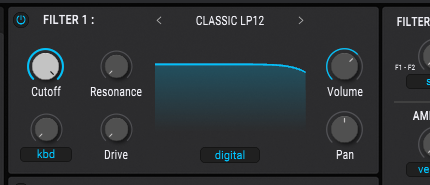
I found the cause for this! It’s the analog filter emulation. If you change Pigments’ filter from analog to digital, everything is in sync:

image

image

I wonder though, if that really makes a difference in practice when it comes to kick + bass. The only issue I could think of are phasing issues, sucking a bit of punch / energy out of the combination due to the phase cancellation that would occur.

I have to correct myself, that was with the 20BPM setting which I still had set. You were right on this, but apparently it didn’t show before because I was in analog mode. With analog it’s off in all BPMs. But in digital mode the 20BPM setting is in line, while 120BPM, for instance, is not.

image

This could cause phase cancellation if bass + kick have a very similar waveform. We can tag @lily.arturia in case that’s something worth looking into.

1 Like

I’ve forwarded your message to our sound design lead for Pigments - thanks!

2 Likes

Yes, and there is one more important thing: the offset, or rather the starting point of each note, is not constant. It seems that Pigments is choosing different positions on the timeline in order to maintain the oscillator phase, rather than the phase itself simply “jumping” randomly.

The easiest way to see this is with an oscilloscope. For example, load Vital, play a series of 1/16 notes, and set the oscilloscope to be synchronized to 1/4 notes. In Vital, the waveform then looks almost frozen — each note starts at essentially the same point in the waveform.

With Pigments, you can clearly see the starting point moving from one note to another. Sometimes the note starts slightly earlier, sometimes slightly later, apparently because Pigments is using a different position on the timeline to maintain the phase.

This happens at basically every BPM I tested, except for the specific BPM values I mentioned earlier:

20, 24, 25, 30, 40, 50, 60, 75, 100, 120, 125, 150, 160 and 200 BPM at 48 kHz.

And even at those BPMs, I would treat the result separately from the general behavior I’m describing here.

So the “starting before the grid” that you mentioned is only one aspect of the problem. The more important issue is that the note start positions are not consistent, which becomes particularly problematic when rendering MIDI to audio and trying to layer or align sounds precisely.

Have you also tried this with Drift at 0% in the Analog Engine / phase knob at the max left position in wavetable mode as I described earlier? Would be interesting to know if it comes from there, because that’s where Pigments tends to dial in some phase difference between its oscillators. Except you’ve tested this with 1 Oscillator patches only, then it’s not coming from these settings.

I compared every sound engine, including the Analog Engine with Drift set to 0%, and I get the same issue in every case regarding the different positions of consecutive notes, except for the specific BPM cases I mentioned earlier.

Those BPMs are 20, 24, 25, 30, 40, 50, 60, 75, 100, 120, 125, 150, 160 and 200.

However, even at those specific BPMs, where the consecutive notes don’t “dance” from left to right, the actual attack is still consistently pre-grid. So the timing issue itself is still present — the notes just appear to be consistently shifted rather than moving around between different positions.