can’t see any Library Items in the latest Version. Reinstall an clean prefs doesn’t work here. Latest MacOS
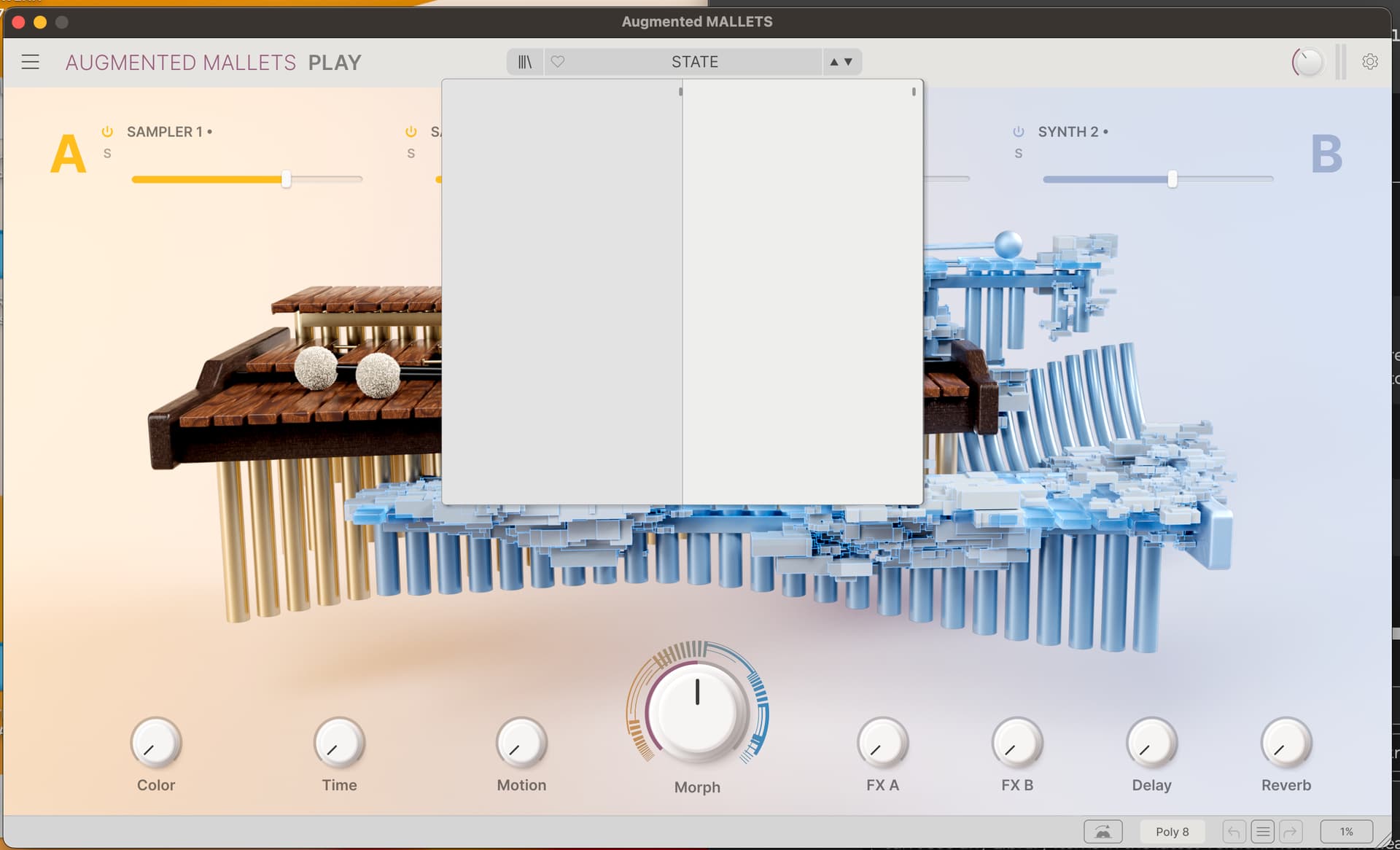
I have this problem too and have an ongoing ticket. I have followed the uninstall procedures as well as deleting the db3 file and it has not improved the situation. This is happening not only on the Augmented Strings instrument but on many other instruments too.
HI @TheKernel and welcome to The Sound Explorers Forum!
What OS are you using? Have you only done and uninstall procedure and deleted db3.db, or have you deleted the other files such as samples, presets etc too?
In addtion.
Have you uninstalled following this speciel manual method carefully:
Heya…
This is a problem for me too, At least on Augmented Mallets, I haven’t tried the other Augmented plugins yet.
I’ve tried the db.db3 file delete thing plus an uninstall reinstall, none of them worked. It’s no surprise though, because as I look at the Factory presets folder there is nothing installed there. Despite the Software Center having Full Disk Access (Mac)
I presume you have the full versions of the applications.
If the informations in the 2 links i have posted in my posts in this thread does’nt help, then i suggest you contact Arturia support through your account.
Yeah, full legit versions. All paid forms part of the V Collection 11 Pro upgrade, all activated. The computer is a music only machine running only fully licensed software… So there’s nothing dodgy running in the background to mess me up.
The patches just don’t seem to be getting installed. At the moment it’s on Silent Installations, but I’ll give another go tomorrow with that feature turned off, see if that makes any difference. Otherwise I’ll just contact support.
Silent install should not make a difference in this.
You could try to download standalone installers:
https://www.arturia.com/support/downloads-manuals/category/software-instruments
It shouldn’t. But for a few years I experienced a bug with the Reinstall functionality. It would freeze/stall after just doing one plugin, this happened many times over the years. The only way to reset this behaviour is to restart the entire Mac, but it would happen again next attempt. Until I found that deactivating Silent Install worked. Or you could just do a Uninstall/Install process.
…And it WORKED again in this instance. I now have all the assets installed.
I’m wondering if it’s an external disk permissions thing. Despite ASC having Full Disk Access, I was still getting prompts from Installer to access the disk. They didnt come up during silent install.