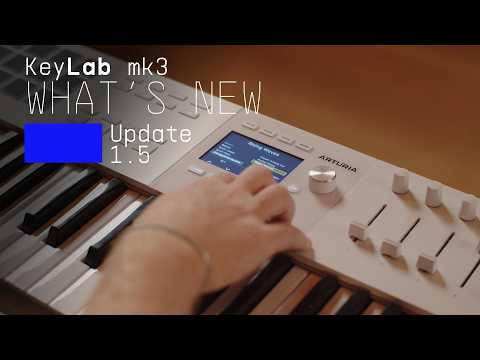
Looks like there’s a new firmware release for the Keylab MK3 line - 1.5.0. The version history for the Keylab 88 isn’t updated but looking at the Keylab 61’s version history:
V 1.5.0
Bug fixes
The sustain pedal has been stabilized to prevent sudden unexpected value drops (from 127 to 0) while playing.
Improved pedal detection range to make it compatible with most pedal after a factory reset.
Playing legato will no longer unexpectedly kill your notes when Chord, Arp, and Hold functions are all activated simultaneously.
Fixed a bug where stuck notes would occur when playing glissando or palm slide.
Fixed a bug where stuck notes would occur when playing while ajusting Strum values in Chord mode.
Fixed a bug where wheels & pedals were unexpectedly hard mapped to CH1 in Arturia mode.
Improvements
Enhanced the UX for the Edit Preset Parts tab.
Refreshed the Keyboard Settings tab with UX improvements.
Button layouts have been refreshed, and new dedicated screens for managing Parts have been added.
Still not, but it is on the list of requested features.
That said, it is much faster to change MIDI channels on Part1/Part2 now.
In the updated LAYER/SPLIT screen in User Mode, you can select Part 1 or Part2 with the contextual buttons 6 or 7 as the “active Part” and the MIDI button + key 1-16 sets the MIDI channel for the active Part.
Completely useless to control multiple external gear to me, and it would mean 2 midi channel and both always playing together…
I just need a midi channel for the keyboard like a midi keyboard user mode that cost 5 time less the price… or like the MK2 and MK1
Arturia should said that its faders and knobs user mode, why to make users mode for a keyboard if you cannot set the keyboard in the user mode? but the faders and knobs; that dont make any sense
so you control other synth that you cannot play while playing another one? explain me the workflow Arturia…
that’s the only feature that this keyboard need to shine, all the other stuff are not a priority to me, just make it become a master midi keyboard Arturia please…
pads light with aftertouch still not working?
why first firmware had it? it was nice and better than a screen, was working on 1.2.0
since 3 firmware knobs still have a different speed in daw mode (logic) then in Arturia mode what make the user experience horrible, was working on 1.2.0
still the first midi keyboard on the market since 30 years that dont have midi channel for the keyboard in user modes, as a midi keyboard thats bad as a master midi keyboard, its not a master midi keyboard…
for a good workflow im still using the 1.2.0 firmware with sustain from another midi keyboard and a launchpad pro to select 4 midi output channel for external gear… no comment
But you spend time to change the little bar for plugin mixer… ahahah why Arturia?
In more i prefered it before to be honest, screen was clearer with the bar up, but personal taste
Im completely lost with your choices Arturia, that’s look paranormal to me
so disappointed…
(When) will Arturia update the manual. It is still refering to firmware V 1.0.x.
With the new options and rearranged menus I’d like to have a proper documentation!
Thank you!!!
I don’t think the controller have sensors for individual keys. If it have, then it would have been launched with poly aftertouch i would say. Then it’s not possible to create true poly aftertouch. I assume some kind of simulation can be created by software (perhaps in the controllers firmware), but i don’t think it will be the same if so.
I can’t tell if Arturia have any plans of this. I don’t think you shall expect Arturia will tell.
I concur with @LBH
From the knowledge i do have regarding keybed hardware, it would require additional hard and software which would, essentially, be a completely different machine then.
He is shy or embarrassed and takes people for fools. where is Lena? maybe she just like midi keyboard so she leave? ahahah
no one request from here have been taking in consideration, is it how brands take the way to InMusic? ahah each update is more disappointing…
Arturia like to repaint old car that doesnt work… Are they thinking it will start because of the beautiful paint? if a car have no brake pedal over a year what does people think? they repair it and now your lights are not working… you ask for it but they already repaint it again…
its how Arturia work…
Who take thoses decisions? you will never tell me that this person play music, never… but good luck fo future
i analyse curves, its look like Arturia is going down as fast as they grow, is it the market or those kinds of choices, also from what I’ve see the KnobLab MK3 is the most resold controller, is it the market also or is it those kind of move?
No brand without users, never forget that we are the brand and if you decide to impose regression you will to…
does anyone try fo install MK2 model firmware on the mk3?
I still love you but my love is changing with time passing my dear Arturia…
and to be positive its a really good control surface well done, but wait if you make modes in your daws because no bank for faders and knobs ahaha can we play keys now?
_Need help ?
When you can't find the answer online or in the product manual, the Technical Support Team is here!.
_Stay tuned
Follow us for the hottest sounds, fresh content, exclusive offers and Arturia news as it happens.