The first version of MIDI CC Randomizer (or MCR for short) can now be downloaded from github: https://github.com/MatrixbrutePatchViewer/MidiCcRandomizer/
It defaults to Matrixbrute (as that was the starting point), but also include definitions for MicroFreak (tested), Polybrute (not tested) and Novation Mininova (tested) which are downloaded from the Midi Guide Project (https://github.com/pencilresearch/midi), and imported to MCR. More to come 
I was lucky and discovered the Midi Guide project while looking for Midi CC info, and realized that the app should be modified to randomize any synth accepting MIDI CC, or NRPN by implementing import functionality for Midi Guide definitions.
After adding a feature to click on a parameter value and dragging the mouse to change it in realtime, I realized while testing it on the Mininova that this is very useful for changing parameters quickly on synths with few buttons and deep menus.
Feel free to download and test it! Feedback is always welcome about bugs or new feature requests.
If you have a synth that is included in the Midi Guide project you can import it and try it on that synth.
Some of the definitions goes right in with no or minimal adjustments, and other require some editing - mostly to group parameters by sections in a right way.
Some definitions do not have data in the section field, which will give just 1 section-button that will randomize everything at once (fixed in a minute in the editor.)
See the manual for details about functionality and installation, and documentation on the file format to create new layouts.
When importing, all relevant tags are written as comments in the file also, so it should be easy to do changes manually by removing the comment (#) before the lines you need to change.
Some key features:
- Randomize any synth that accepts CC/NRPN
- Customize the layout (sizes), and grouping of parameters into sections.
- Randomize 1 section or 1 parameter with a click
- Include or exclude whole sections or some parameters in the sections that can be excluded from randomization (but still changed manually)
- Setting custom range on individual parameters
- Click & drag on any parameter value to change it in real time (useful for controlling all CC’s of a synth with the mouse, or to find meaningful min/max values for a parameter)
- Import new definitions from the Midi Guide library
- Edit any definition, and quickly activate the change to see how it looks in the GUI
- Possible to start the app with any definition file.
- Created in Java (can be a little more hassle to install, but should be platform independent. Only tested on windows.)
The definition file is just a text file, and can be viewed/edited in any text editor. It can be named anything, but recommend to name them like Arturia-Matrixbrute_mcr.txt. This is also the default naming when importing data.
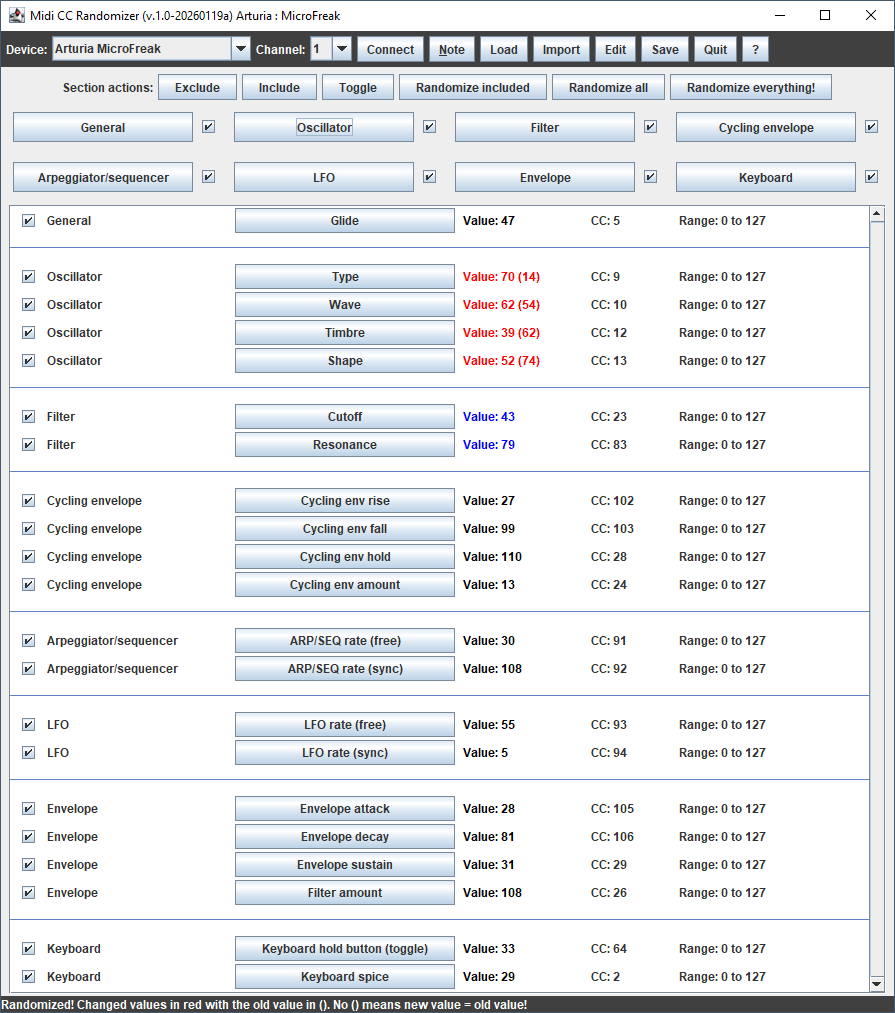
The randomizer for Arturia Mikrofreak:
The window after randomizing the Oscillator (red values), and manually dragging the filter values with the mouse (blue values).
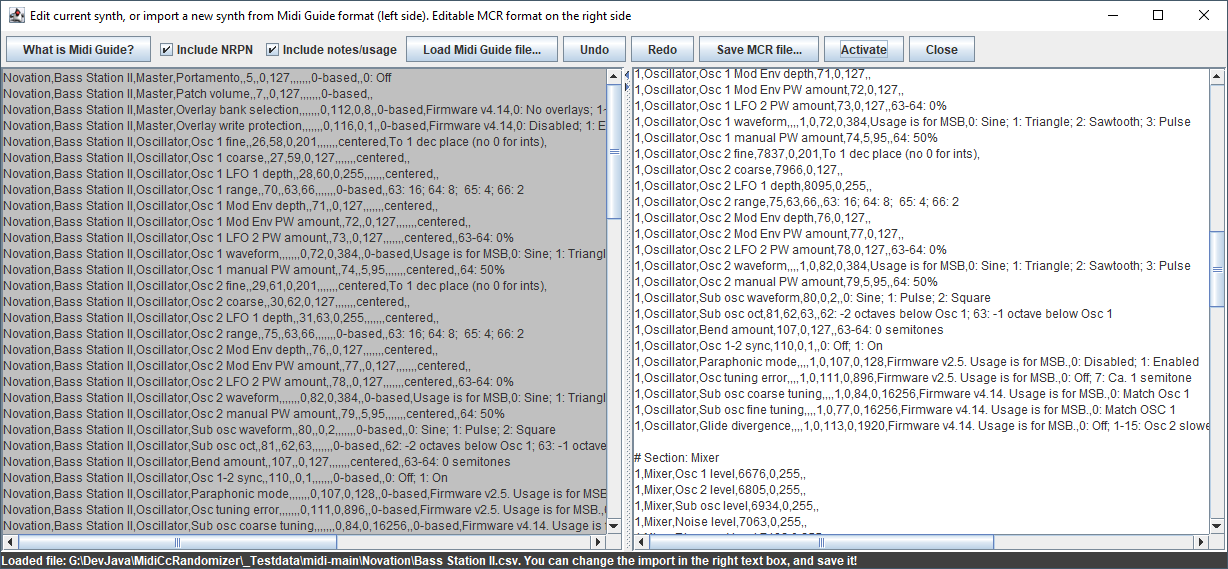
Importing Novation Bassstation from Midi Guide
Load the csv-file fomr Midi Guide github page, then do any neccesary adjustments in the right edit window. The Activate button will update the GUI to verify the canges.
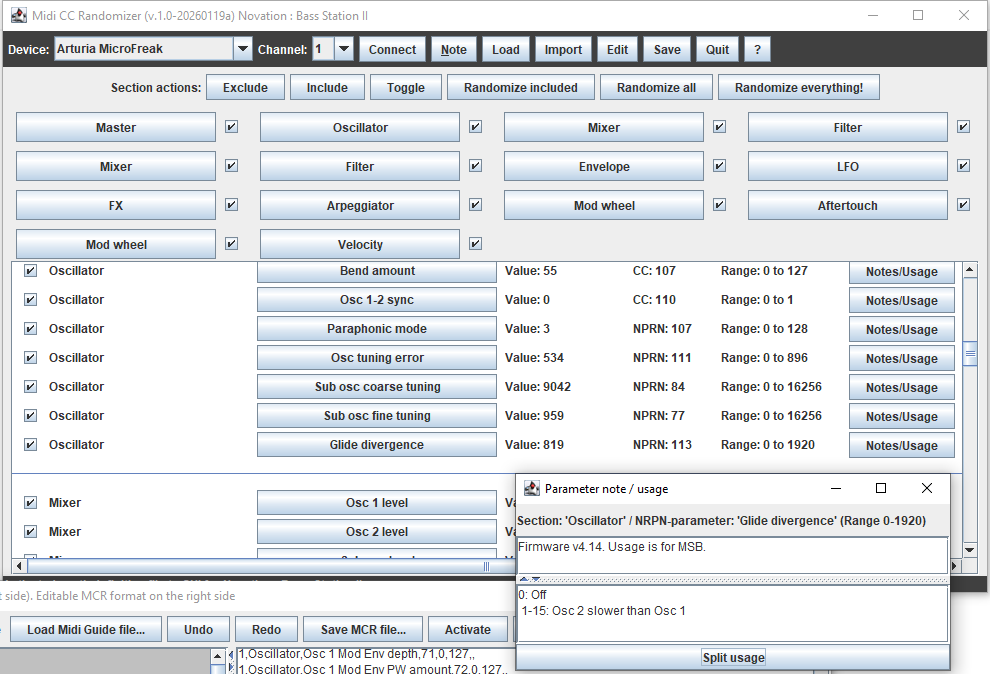
Clicking “Activate” in the editor window updates the GUI
This one needed no editing (but could be adjusted so the section buttons are narrower.
It also included notes/usage, which can be inspected in a separate window giving more information on that paramter.


 - but it can be used with any synth accepting MIDI CC messages.