Hi all, this may not be the best place to raise this issue, but the Apple community site is not responding.
I want to connect a Novation Launchkey and a Keylab 88 to Mainstage on separate midi channels. so I can play both at the same time. I know I can run them separately but I’m hoping to simplify the process with MainStage.
I’m using Analog Lab V with Keylab 88 and Pigments 6 with Novation Launchkey. I’m trying to get one preset from each controller to run together on MainStage. I’ve spent two nights with ChatGPT trying every configuration imaginable and now Chat is telling me it doesn’t think it’s possible.
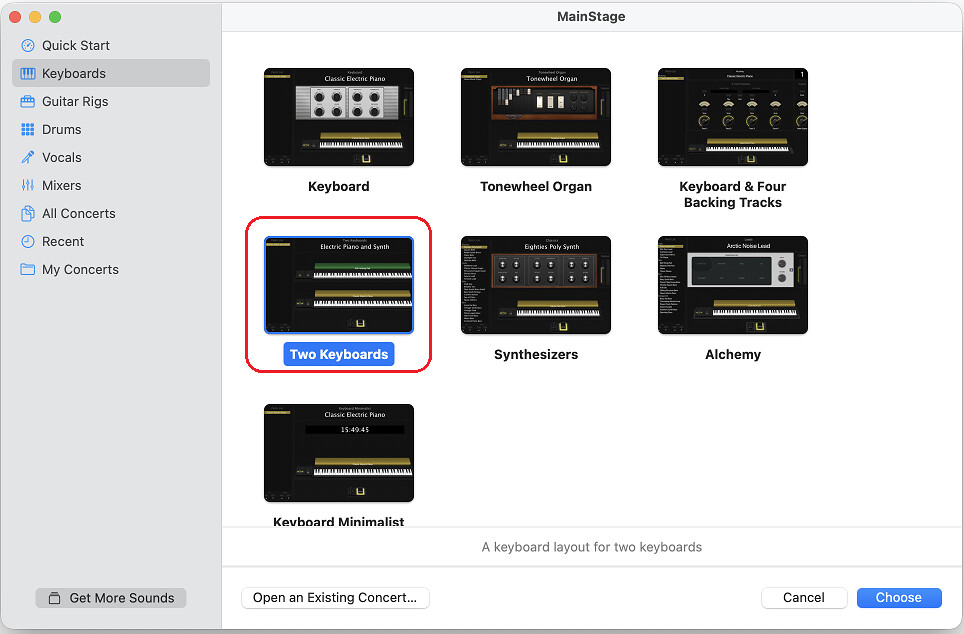
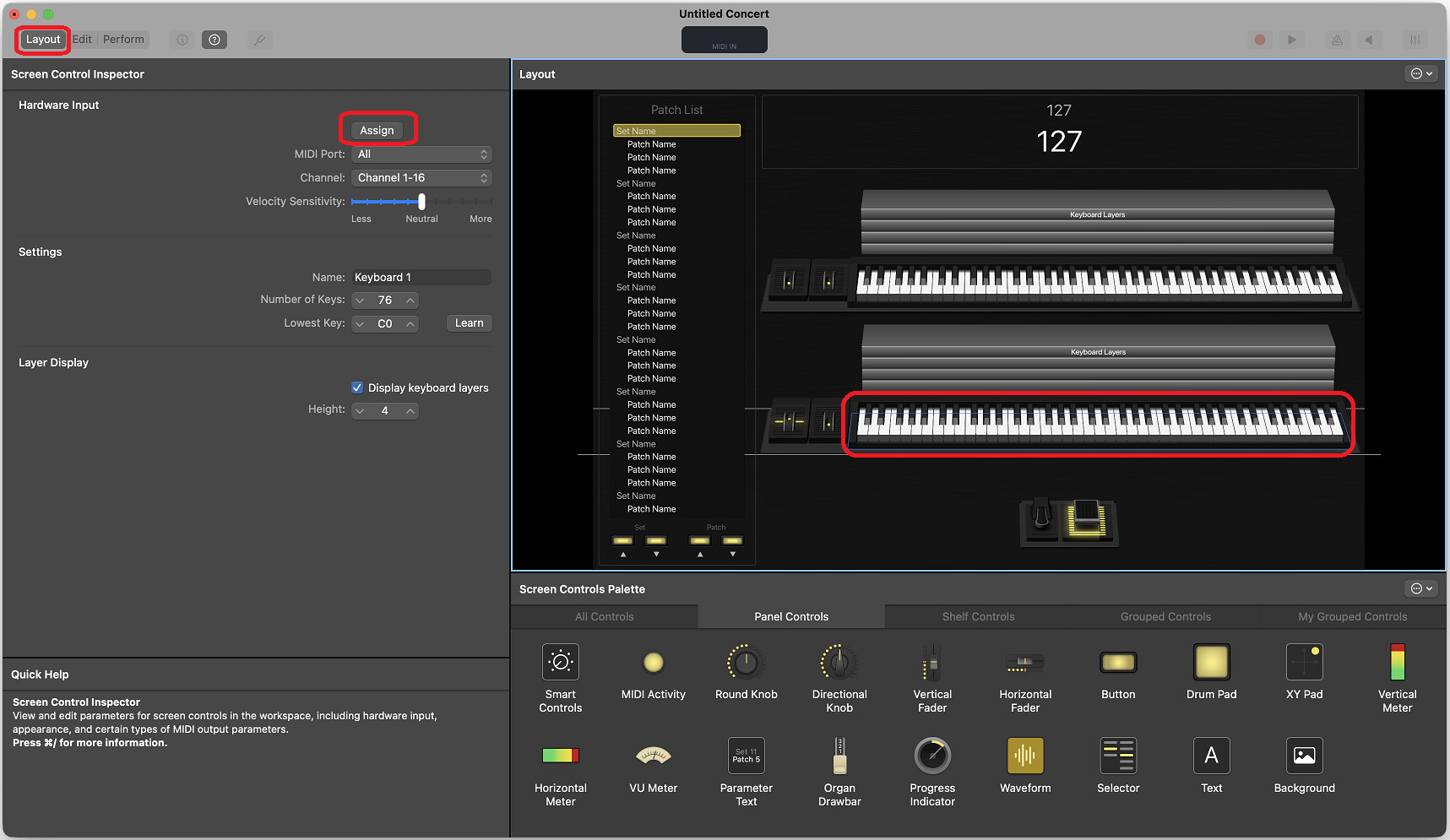
And then in the Layout mode, in the left panel, Assign a controller to each keyboard:
click on a keyboard on the screen
click the Assign button in the left panel
play a note on the controller
repeat for the 2nd keyboard & controller
You’ll also have to assign the pitch and mod wheels of each controller, as well as your sustain and expression pedal (if any), and add any additional controls you want to map.
In the meantime, all the screwing around I did last night somehow disconnected my LK 88 from its faders and knobs. I can edit it in Analog Lab, but I can’t control anything from the keyboard itself.