Hey guys,
I’m having problems running some of the stand alone apps?
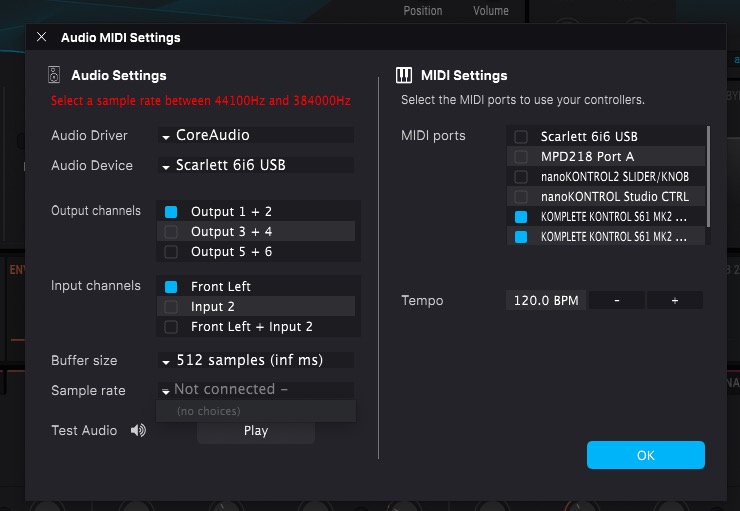
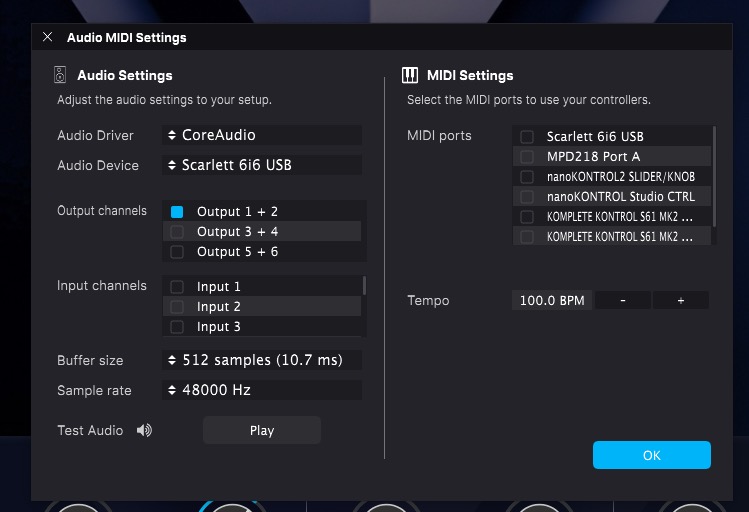
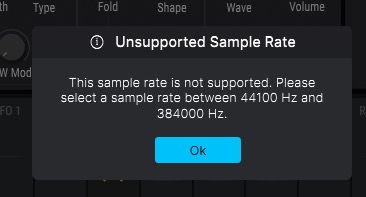
First noticed it with Pigments. It would gives me an unsupported sample rate error, it then drops me into the Audio Midi Settings asking me to select a sample rate but it’s not giving me a choice in the sample rate section like it used to do. My inputs also look weird.
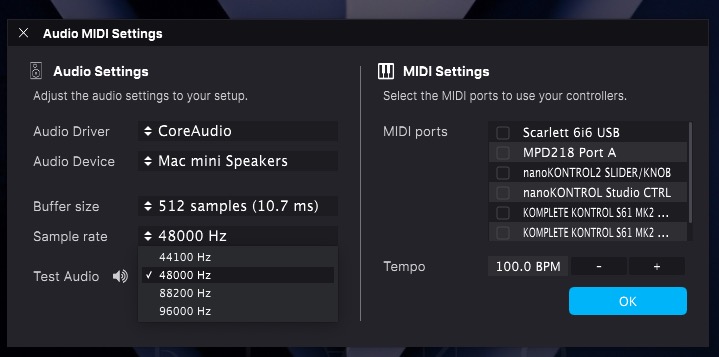
Changing Audio Device to the internal Mac, then switches 48000 and I have sound, I can then switch back to my Scarlett and it’s set on 48000, this will work until I quit.
I’m having the same problem with the following apps:
Analog Lab V 5.12.2.6463
Pigments 7.0.0.6447
Vocoder V 1.6.5.6366
Korg MS-20 V 1.3.4.6366
I’ve tried them all and only these 4 play up. The rest are all normal and work as expected.
All these instruments work without issue in Logic Pro.
If the problem is confined to only some plugins and only the standalone, I would first clean the Prefs in the ASC. If that doesn’t work, I would uninstall and reinstall the plugins.
See: https://support.arturia.com/hc/en-us/articles/16174346479260-Arturia-Software-Center-ASC-How-to-clean-Instruments-FXs-preferences
Fingers crossed.
1 Like
I should have mentioned, I’ve tried the prefs clean, the reinstall, the prefs clean and reinstall. Updating the Scarlett drivers to the latest to no avail.
As mentioned above, no issues with the plug in versions just the stand alone apps of these 4 instruments.
Michael
OK.
Then I would follow the instruction in the link to manually uninstall for thoroughness and perhaps manually download the affected plugins from the Arturia website to install manually.
Arturia support has responded, the system default input was set to my Logitech webcam which doesn’t support 48000. Changing this to anything else has fixed the issue.
Why it would do that all of a sudden is beyond me and I’m waiting for a response from Support on that question. I’ve been running this exact set up for many years without ever running into this issue…
2 Likes
That is weird. Im glad they worked it out.