HI again @Art5
Ok, something i feel i should say is that it’s wroth you, and indeed pretty much essential, that you spend a little time, or perhaps a fair bit of time; finding out about certain things such as ‘latency’ buffers’ etc as you WILL be seeing these things rather a lot.
Spend some time hitting the manuals for your equipment, it WILL reward you in the long run!
It’s not really something that’s approachable in a ‘just follow steps A,B,C’ etc fashion as things do and WILL go wrong for you at times and you can guarantee it will be at times when there’s no one around to help, ask anyone on here, or any other music related forum and you’ll get the same answer.
It’s about understanding your system enough to be able to cope with these things when they do happen.
Ok, that over with… The buffer, in an over simplified explanation, is essentially the chunks of data that your system deals with, the smaller the buffer size the lower the latency you will experience, the two are related, along with ‘sample rate’.
This is something you should spend some time online researching and is common to all digital recording systems.
You should have as lower buffer size as your system will handle as this will affect the amount of time it will take an audio signal to enter your interface, we’ll say your mic for this instance, then for it to be transferred to your computer, the computer to do what it needs to ; then for the the computer to send it back to the interface and the interface to send it to its output, speakers or in this case headphones.
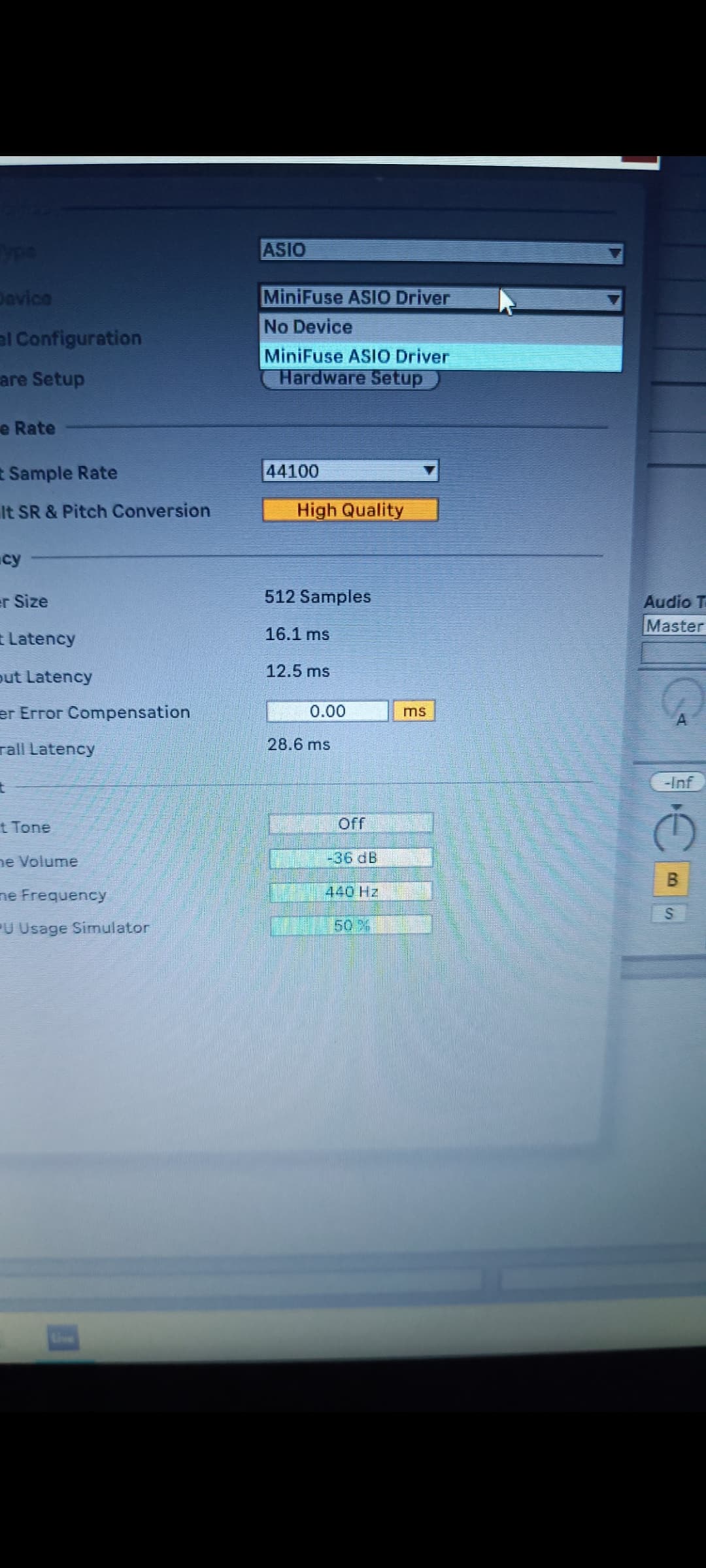
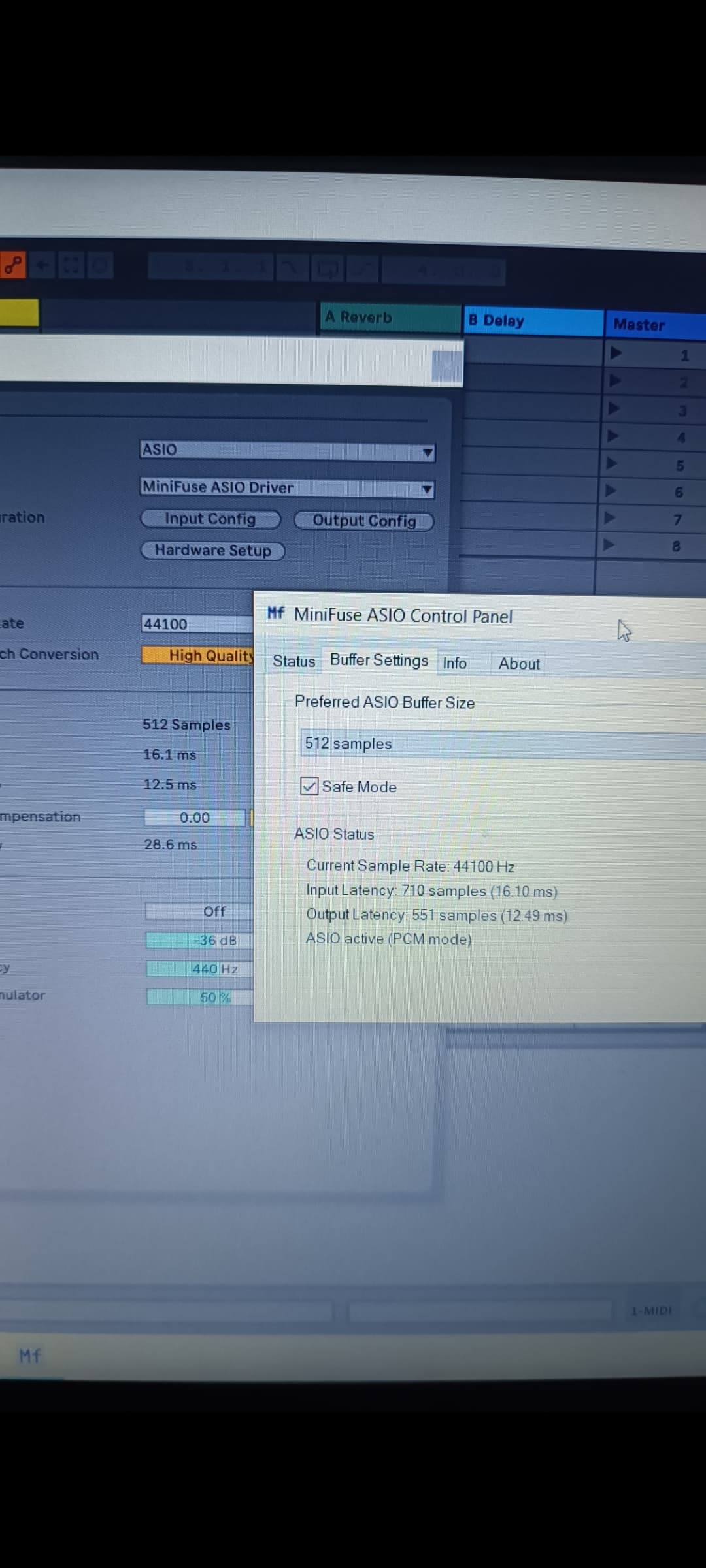
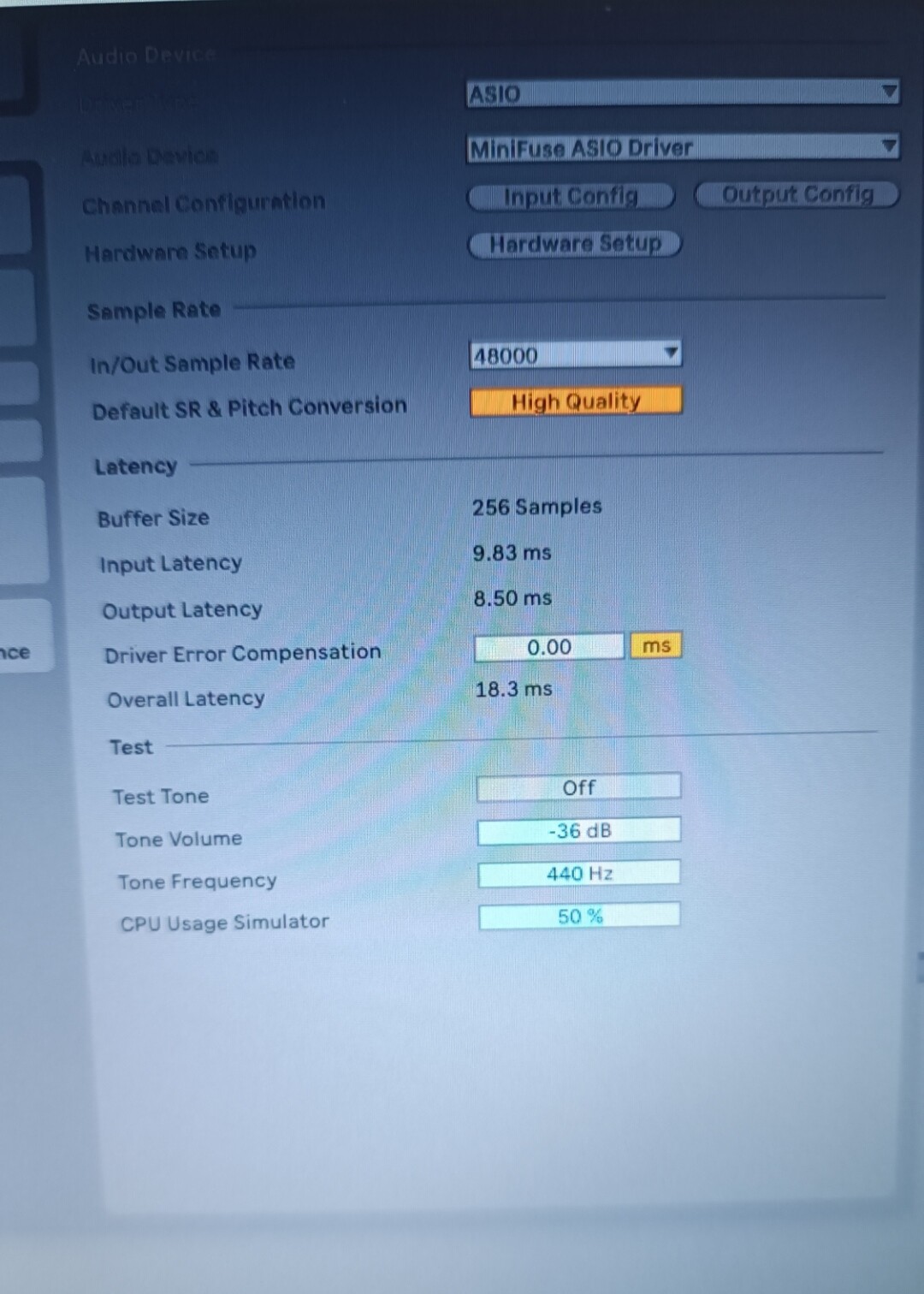
You’ll see from your first pic in the post that the buffer is set to 256 samples, this is the ‘chunk’ of data that your pc will deal with at a time. Out of the figures for latency below that, the Overall Latency is the figure you’re interested in here, that’s how long it will take the audio from your mic to do ‘the round trip’ described above or for you to hear a sound from any virtual synth plugin you might be triggering from your midi keyboard.
Ideally it should be below 10ms (Milliseconds), so i would change this to the lowest value possible and see how your system reacts, you will need to raise the amount if it’s not happy, also in heavier sessions with a lot of plugins running it might be the case that you have to increase it too to allow your computer to handle the increased workload. That’s unlikely to affect you for a little while though.
Sound quality isn’t affected by buffer size unless you have the buffer so low that it causes crackles and pops, sample and bit rate will both affect your sound quality, again this is something you should read up on yourself as it’s quite a large subject and rather too much for a post like this. Again it’s something you’re going to have to have at least some kind of working knowledge of.
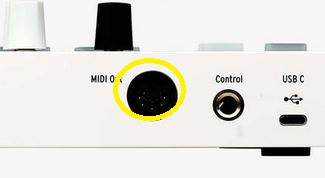
How are you connecting your midi keyboard…are you using ‘Din’ Midi or USB? Din midi is using the ‘five pin Din’ sockets that look like the pic below, circled in yellow…
You only need to use one or the other at this stage, let’s try and keep things as simple as possible for you until you’re more familiar with things.
I do not use Ableton myself and have no real knowledge of it, there are some on here that do, but you would be better to hit the Ableton forum for anything related to it.
Looking at the pic above this post with the midi connections, i can only assume that the ‘output’ tab should be set to what external instrument, which you don’t have currently, or a virtual instrument/synth such as Arturia AnalogLab or similar. Again you really should use the Ableton forum for how to do this in Ableton as they will be familiar with that particular software of course.
Once you’ve done all that, try loading a virtual synth/keyboard plugin, set the ins/outs the way people on The Ableton forum suggest, and try playing it from your mid keyboard. Make that the first ‘target’ for you to aim for with all of this, approach it in small steps making sure you understand and can repeat each step for now. Once you’re comfortable with it, then move on to something else such as being able to record audio with your mic or from any synth plugin you might have loaded.
These things take time unfortunately but they can be HIGHLY rewarding if we stick with them. It can be frustrating at times, but that only adds to the great feeling you’ll get once it all clicks in place for you.
Pretty much EVERYONE on this forum has been through what you’re doing at some point in their own musical journey too, so you’re in good company.
HTH!