[Feature request]: further integration with Keylab

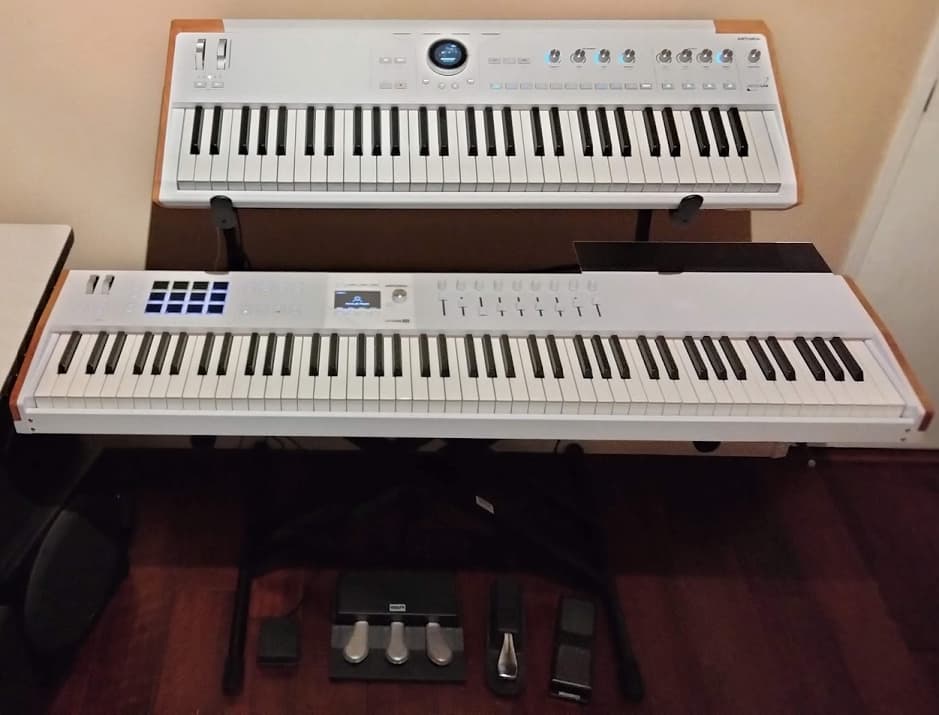
I received my Astrolab today and was delighted to discover that my Keylab MK3 could connect and be powered through the Storage/midi port on the back of the device, furthermore, the knobs and sliders all worked immediately and were, more or less, correctly mapped. I was also very pleased to find that I could, after playing with some settings, set up a layered sound assigning one part to the Astrolab keyboard and another to the keylab. Amazing, this has dramatically optimised my stage setup.

With that said, it’s not perfect. If I change preset with the wheel, the mapping of one tone to my external device is lost, meaning I have to go back to the home screen, into the settings and change it back. Every time. Whilst I can save the preset as a new preset that retains the midi choices, an option to have my midi in/out settings be global would be incredibly useful.

Another gripe is that the pitch and modulation wheels can’t, as far as I can tell, be assigned strictly to one “part”, even by changing the keylab in the midi control software so that the respective wheels are on the same specific midi channel as the keybed.

What’s more, given that the keylab plays so beautifully with the Astrolab it would be great to lean into that;
Would it be possible for the controls on the keylab to better integrate with the Astrolab, perhaps giving independent control over browsing or selecting the sound specifically for “Part 2” from it’s own interface? The keylab is uniquely positioned to be a fantastic accessory to expand the functionality of the Astrolab, having a bespoke profile for interoperability would be an enormous boon to the product.

All in all, I’m mostly happy with how well the two devices play together, but there’s always room for improvement!

Cheers.

3 Likes

Hi @exion and welcome to The Sound Explorers Forum!

Thanks for the praise, AL DOES look and sound like a VERY nice bit of kit!

Thanks for the ideas too, we’ll keep them listed as a feature request so our team are aware of them.

HTH!

Ps,
Please make sure to subscribe to our Newsletter to be the first to know about the latest from Arturia.

Fwiw. I am in the same boat and would love to see that! It would add a uniquely powerful integration feature !

1 Like

Hi ! Wondering if the situation has evolved, considering the numerous Astrolab updates meanwhile ?

I do own a Keylab and was pondering about getting an Astrolab 37 to practise outside / add a synth layer to my piano. But as I also own a Keylab 61, it would be amazing if this could turn into a bi-timbral synth.

So, the various updates have indeed affected the setup I described in my first post, though largely in a lateral way with still a lot of areas to improve potentially.

I still use it as my daily driver in the following configuration;

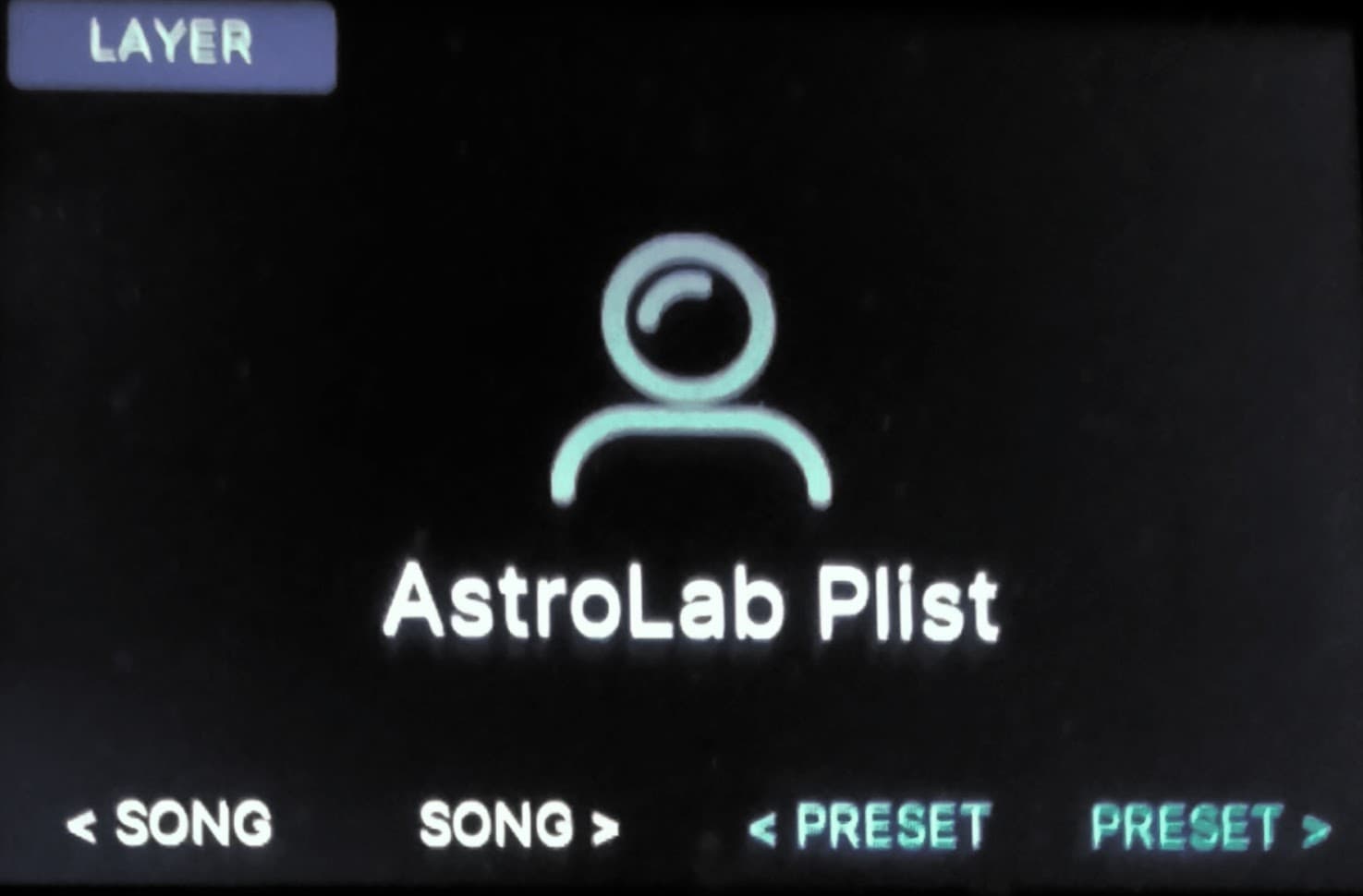
Keylab essential mkii plugged into the usbc port on the Astrolab. Astrolab’s keybed is set to midi channel 1, keylab is set to midi channel 2 (assigned in the main settings menu on the Astrolab and through midi assignment on keylab respectively). Sound 1 is assigned too midi channel 1, sound 2 is assigned to midi channel 2 (assigned in Astrolab on a per sound settings basis, hold down the UI wheel from within a sound selection), as these assignments are not universal across the Astrolab I recommend saving these as presets, then add these new presets to a playlist;

But yes, you can control 2 sounds with the 2 keyboards, the modulation and pitch wheels usually assign correctly nowadays and the setup, despite it’s jank, is fairly reliable and ergonomic.

3 Likes

Thanks for your quick & elaborate reply ! :slight_smile:

I use a similar setup, AstroLab61 + KeyLab88mk3, but the same concept would apply to AstroLab88 + KeyLab49/61 (Essential or not), or AstroLab37 + any KeyLab.

The way I have them setup:

  • KeyLab USB-C connected to the USB-A port of AstroLab (the USB-A port powers the KeyLab).
  • KeyLab to send MIDI on Ch 1.

In AstroLab’s Home / Settings / MIDI In/Out menu:

  • Secondary MIDI Channel to Ch 1 (or All)
  • Keyboard Channel to any channel other than 1 (for example, Ch 2)
    (this still allows the AstroLab keyboard to play any factory preset, since their MIDI input defaults to All)

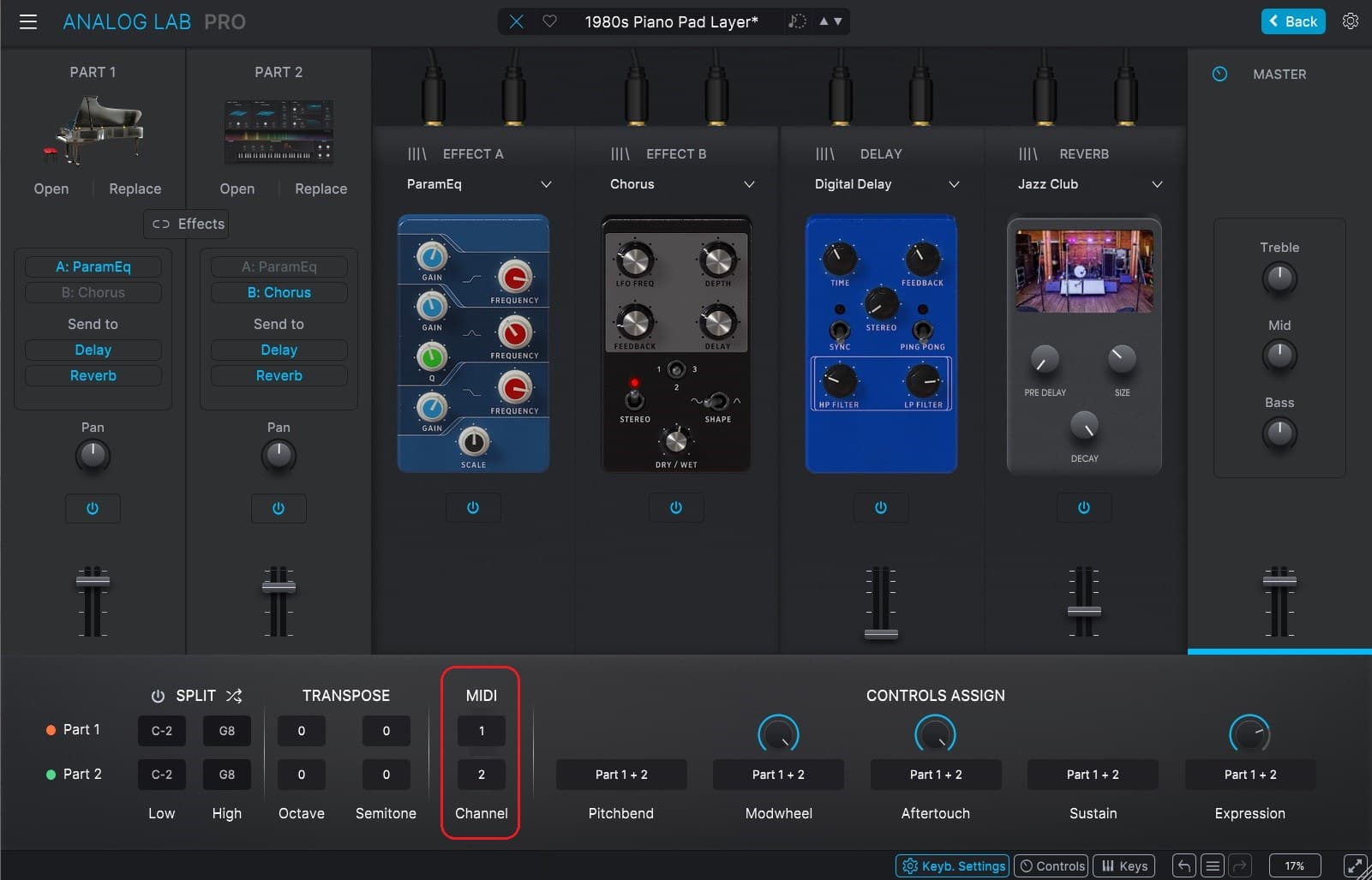
For each User Multi Preset that you create, in the Part Settings menu (or in the “Keyb. Settings” tab of Analog Lab)

  • Part MIDI Input to be played by the KeyLab (f.i. Part1) to Ch 1.
  • Part MIDI Input to be played by AstroLab (f.i. Part2) to the same channel as the Keyboard Channel (in this example, Ch 2)
    (and don’t forget to Save the preset after editing the Part MIDI channels).

(Note 1: if you change the AstroLab Keyboard Channel back to Ch 1, it will play the Part meant for the KeyLab, which can be useful while setting up).
(Note 2: if Secondary MIDI Channel is set to 1, AstroLab will only receive MIDI on that channel; but if it is set to All, it will receive MIDI on either MIDI input channel set for Part1 or Part2, therefore changing the MIDI out channel of the KeyLab will allow playing either Part)

In the example below, the KeyLab plays the Piano on Part1 (Ch1) and the AstroLab keyboard will play the Pigments pad on Part2 (Ch2):

With the KeyLab sending MIDI CCs via its faders on Ch1, it can also control 9 extra parameters via the 9 “virtual faders”.
For single presets, the functions of those 9 faders vary by instrument (or by preset). For instance, for analog-modeled synths, they usually control both Filter and Amp envelopes (for B-3V or Vox organs, they control the drawbars).

For all Multis, the default assignment of the 9 virtual faders of AstroLab is fixed as Part1 and Part2 volumes on virtual faders 1 and 4, and Master EQ on virtual faders 7, 8, 9. (virtual faders 2, 3, 5 and 6 are used to switch Delay and Reverb sends On/Off of each part)

The CC mapping of the 9 virtual faders matches the default MIDI mapping of the KeyLab faders when you create a new User program, so it should work immediately.

Additional CCs can be sent from the pads or user buttons of the KeyLab on Channel 1 control other functions of AstroLab, for example:

  • CC # Control
  • 102 Previous Preset (same as the arrow up button)
  • 103 Next Preset (same as the arrow down button)
  • 104 Previous Song in Playlist
  • 105 Next Song in Playlist

Furthermore, AstroLab can receive MIDI Bank Select and Program Change messages to recall Presets that are stored in Playlists / Songs (all indexes starting at 0):

  • Bank Select MSB (CC#0) = Playlist index
  • Bank Select LSB (CC#32) = Song index in current Playlist
  • Program Change number = Preset index in current Song

With those messages, I use the Pads of KeyLab to jump to specific Playlists/Songs, and the user buttons for Previous/Next Song and Previous/Next Preset.

1 Like