In the Outputs section of the MiniFuse Control Center, you can slide the “indicator” icon to the db you want to not exceed. If you do, it turns orange - but only in the Control Center.
The request: change the indicator light on my hardware input knob when exceeded (MiniFuse 4).
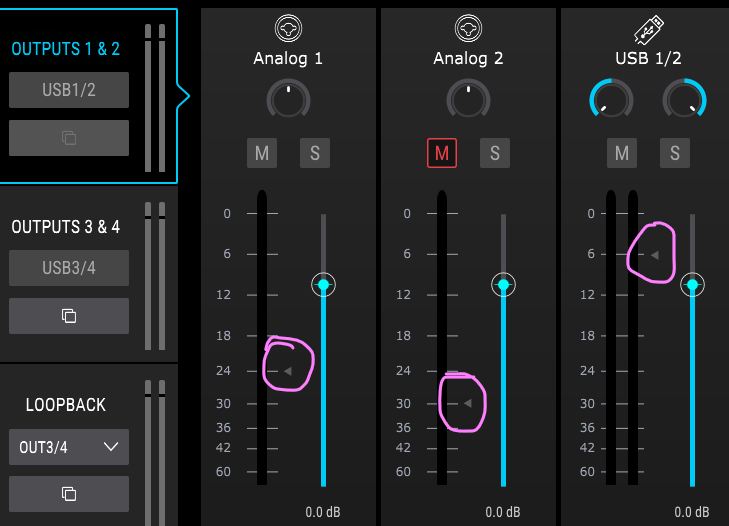
Thanks.