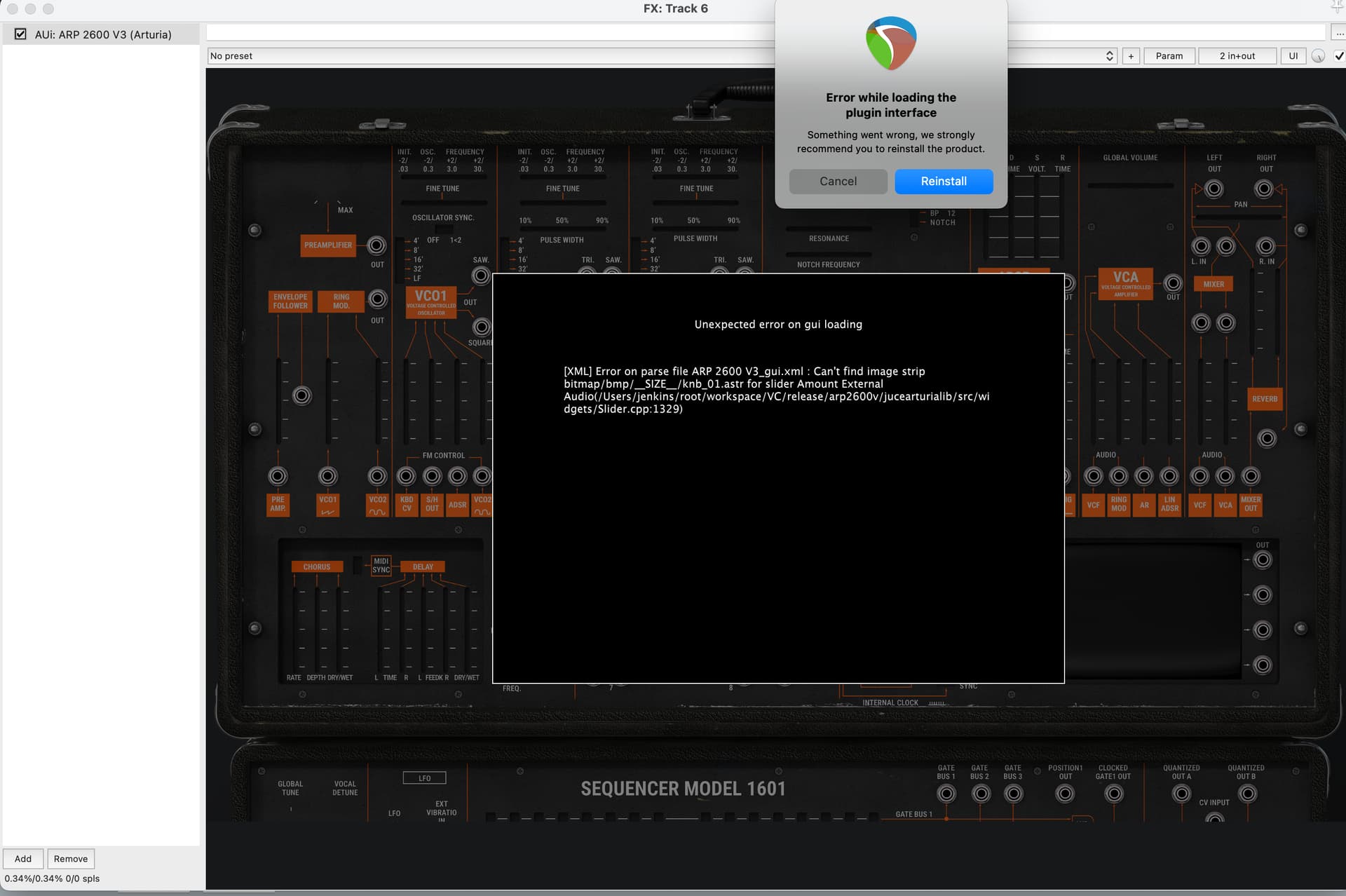
I am running on MacOS Sequoia 15.6.1, some instruments in V Collection 9 give me this error when trying to open in Reaper. I get errors loading ARP 2600, Mellotron, Synclavier, Modular V3. Others are fine, such as Jun-6 V, Piano V3, Mini V3.
I have tried using Arturia Software Center to uninstall and reinstall, but it looks like the reinstall part doesn’t work.
Im not sure how much I can help but I can ask questions that may help others fathom out the issue.
Did this ever work error free or is it happening since and upgrade to V Collection and/or Reaper?
Do the affected plugins work error free in standalone?
Did you relocate Arturia resources to an external drive (if you use one)?
The path shown in the error seems very weird to me as fellow mac user. Have you tried looking to see if it exists?
Funtmaster, thanks for the suggestions! I am seeing the same issue with the standalone versions, so I went through all of them (taking Reaper out of the equation for now).
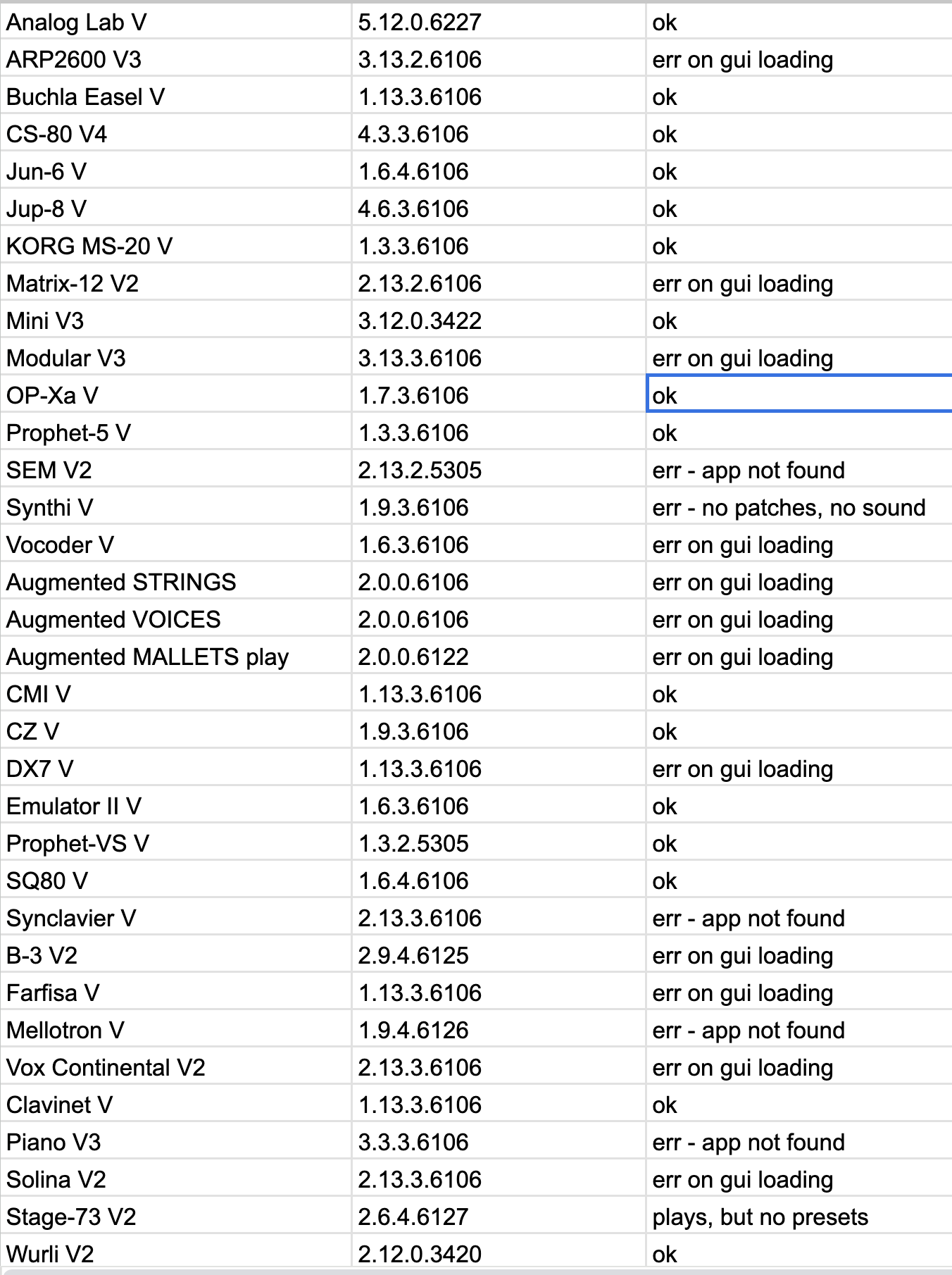
I don’t see a consistent pattern for the “gui loading” errors, but someone who knows the source code and libraries might know what these plugins have in common.
These used to all work, as far I as I know (I probably hadn’t tried every single plugin).
The ones where I used the Arturia Software Center to try to uninstall/reinstall now have the .app file (standalone executable on MacOS) deleted (“app not found” on my list). The patches missing on Stage-73 is probably user error, I’ll deal with that later.
I do have an external drive (Crucial 4TB X10 Pro) that I have these vst/au’s installed to (both working and non-working). I have it sitting in a Slipdrive pocket glued to the laptop lid (cheaper than getting a bigger builtin drive from Apple).
As far as the file path goes, I don’t know where to look for “/Users/jenkins” - that seems like some CI/CD/automation/something something (or, some person named “jenkins” has an account on my laptop, maybe it’s the guy from Basic Instructions).
I have a Google sheet to try to keep track of my plugins, I’ve taken a screen shot of the Arturia instruments and if they work for me or not:
Wow - you have a lot going on there. The presence of an unknown user folder (account) is a little concerning. Could I suggest you see what accounts are setup on the mac and if you have an unknown one, delete it. You should normally only see your account and perhaps a Guest account if enabled. Of course, best practice dictates you make a backup before any of this in case of problems. Time Machine is your friend 
See if anyone else has suggestions but my preference given the number of issues you have would be to go back to basics and completely uninstall and reinstall the ASC and all Arturia s/w. There is a guide:
I suspect a reinstall will default to your internal drive. If the reinstall resolves the issues, you can relocate the resources to your external SSD after.
It may seem a scorched earth approach but you could spend hours troubleshooting, trying this and that when a uninstall and reinstall may take a hour or so. Just my two penneth. See what others think.
1 Like
HI @craigs63
I seem to remember having this, or a VERY similar issue quite some time ago now.
Unfortunately, the only way i found to cure it was to completely un/reinstall all my Arturia software.
If you do decide to do so, i’d advise making backups of any presets you might have made yourself or purchased from 3rd parties etc.
I’m actually on Windows, although i have seen this crop up once or twice before from memory on Win & Mac systems.
I would deactivate my machine from your account on the Arturia website, purely as a safety measure.
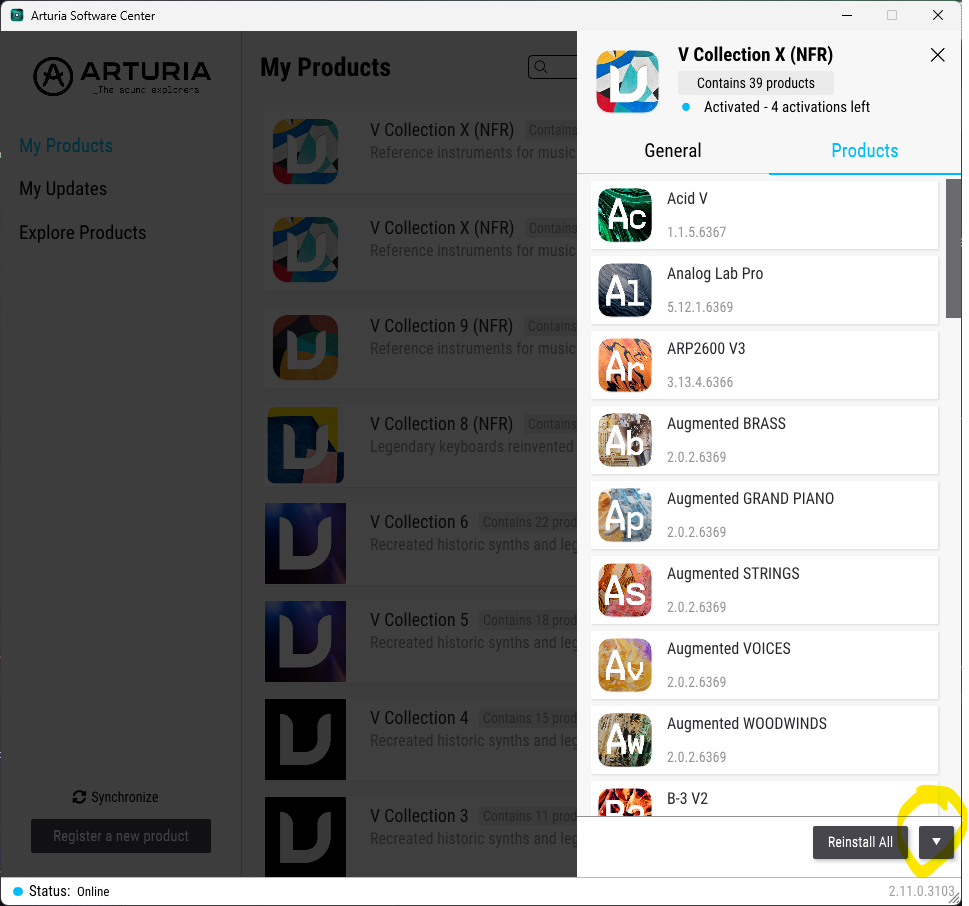
Then you can use ASC to uninstall each instrument one at a time, or, if you have ‘Collection’ licences, such as V-Collection X, X1 etc then just select it in ASC, then click on the down arrow as in the pic below and select ‘uninstall all’.
Once you’ve let that run its course it’s worth manually going through your system to see if anything has been left.
On a Mac you should check the following:
List item macOS - files to delete
Applications/Arturia/PRODUCT_NAME app
Library/Application Support/Avid/Audio/Plug-Ins/Arturia/PRODUCT_NAME.aax
Library/Application Support/Native Instruments/Service Center/PRODUCT_NAME.xml
Library/Arturia/PRODUCT_NAME folder
Library/Arturia/Presets/PRODUCT_NAME folder
Library/Arturia/Samples/PRODUCT_NAME folder
Library/Audio/Plug-Ins/Components/PRODUCT_NAME.components
Library/Audio/Plug-Ins/VST/PRODUCT_NAME.vst
Library/Audio/Plug-Ins/VST3/PRODUCT_NAME.vst3
Once you’ve done that, restart your machine and start reinstalling again.
HTH an please let us know how you get on.
1 Like
Hi,
@craigs63 - Jenkins has to do with programming. Nothing to be worried about.
@Funtmaster advice to manually reinstall may work. I would try with one application first. if it does’nt work, then try again and download the standalone installer instead of using ASC, and then see if that make a difference.
I would always install directly to the location i want.
But if you have multiple locations, then be sure there is’nt anything on the old install paths. If you have duplicate files somewhere, then there is a risk that can cause issues.
I see you have different kind of issues. And you are on Sequoia.
So please also read this topic and this post from Tim.Arturia:
Thanks everyone for the suggestions. I will probably uninstall/reinstall all when I get a little more ambitious. I already had enough holiday weekend I/T work
1 Like
I had never come across Jenkins until today and had to look it up. It’s a developers tool. I live and learn
And why is my plugin looking for something in a “jenkins” subdirectory, that doesn’t exist on my drive?
I have no idea. Did you buy the Mac secondhand? If so, did you format the drive and do fresh install of OSX?
1 Like
Problem resolved. I bit the bullet, deleted everything that was installed (used AI to give me a list of all of the places and names). Re-installed one by one, from Z to A (well, Wurli 2 to Analog Lab Pro). For some reason, “Piano” had a problem installing. Then, it seems like everything from the bottom half of the list said it needed to be installed. I went through and did that. Running fine for now. Tahoe 26.2 on M2 Pro MBP.
1 Like