Where in Analog Lab Pro can I find the Mod Matrix. I have searched on the forum, YT, but I can’t find it.
Hi @Robert13
There isn’t a mod matrix as such for AL itself, rather you’d have to edit each of the instrument’s own mod matrix that’s contained within whichever patch you’re wanting to edit.
Open a patch in ALP and click on the area i’ve outlined below.
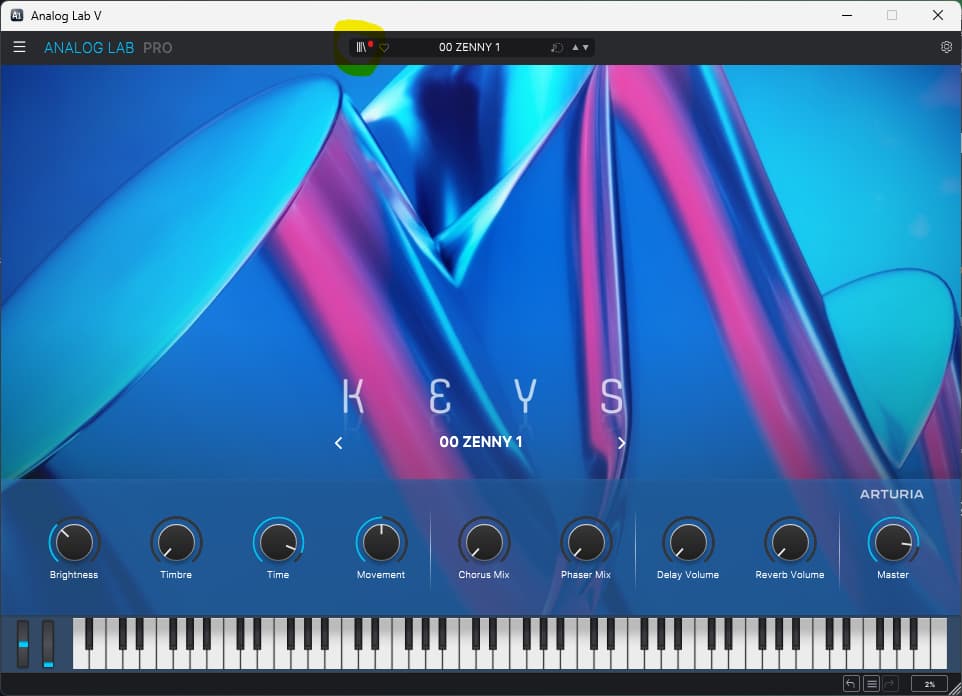
Then click on ‘explore’, highlighted in yellow again, in the top left menu and then ‘Edit Preset’ in the bottom right, as in the pic below…
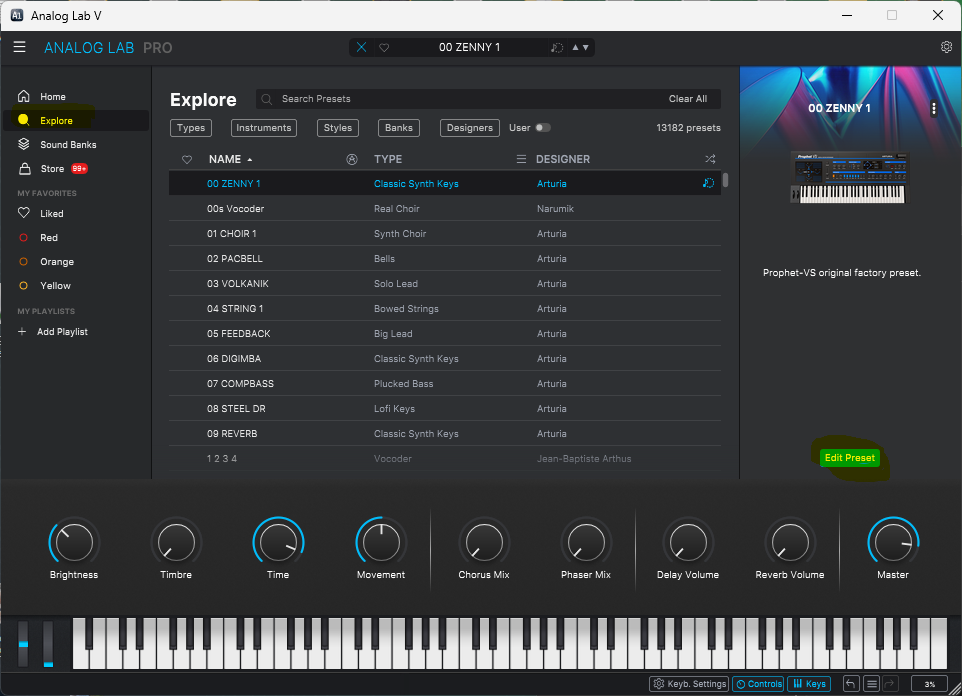
You’ll be presented with the following window. You can either open the current instrument/s or change one or both of them from here, as highlighted in yellow again.
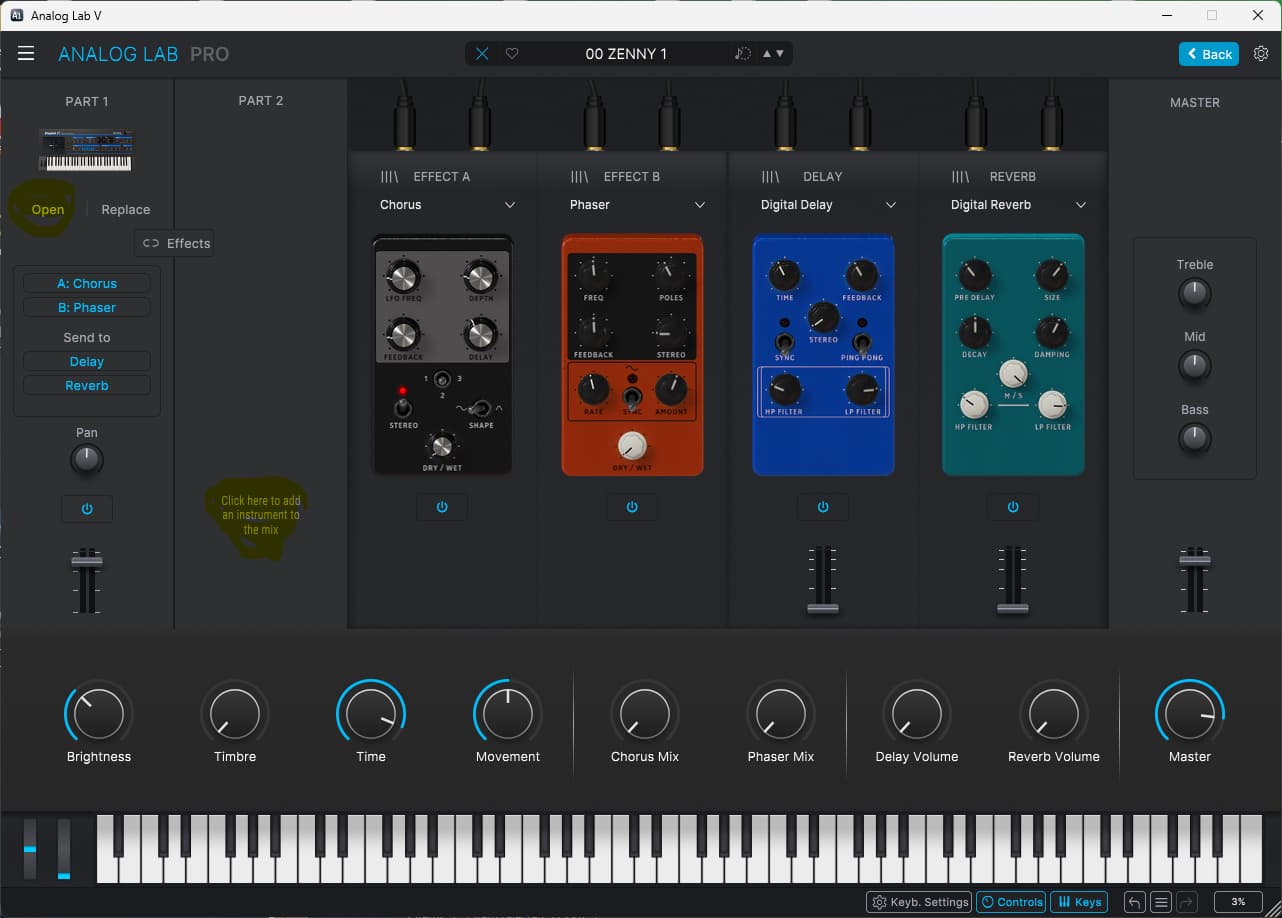
In this case i’ve chosen to open the only instrument in the patch, the Prophet VS, you’ll see the pic below, to access the mods, click on the ‘advanced’ icon in the top right hand corner as highlited in yellow again.
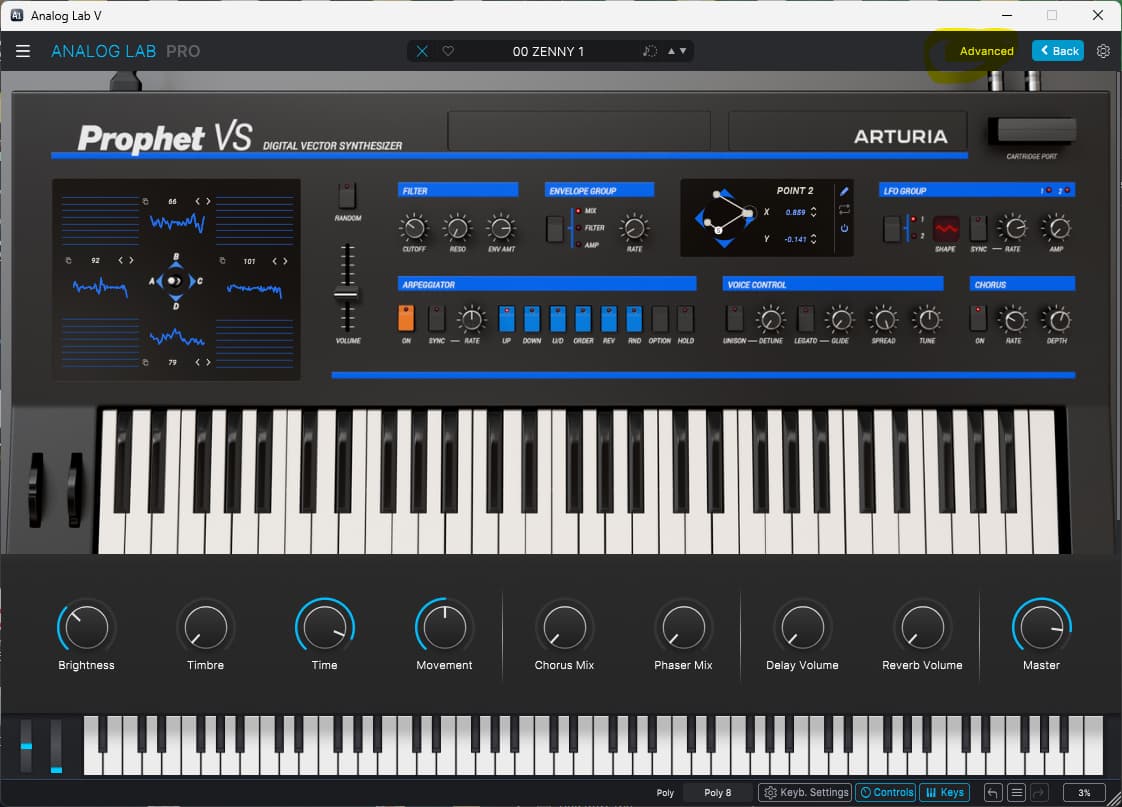
You’ll then be able to access this instrument’s mod section from here, as highlited in yellow again in the pic below.
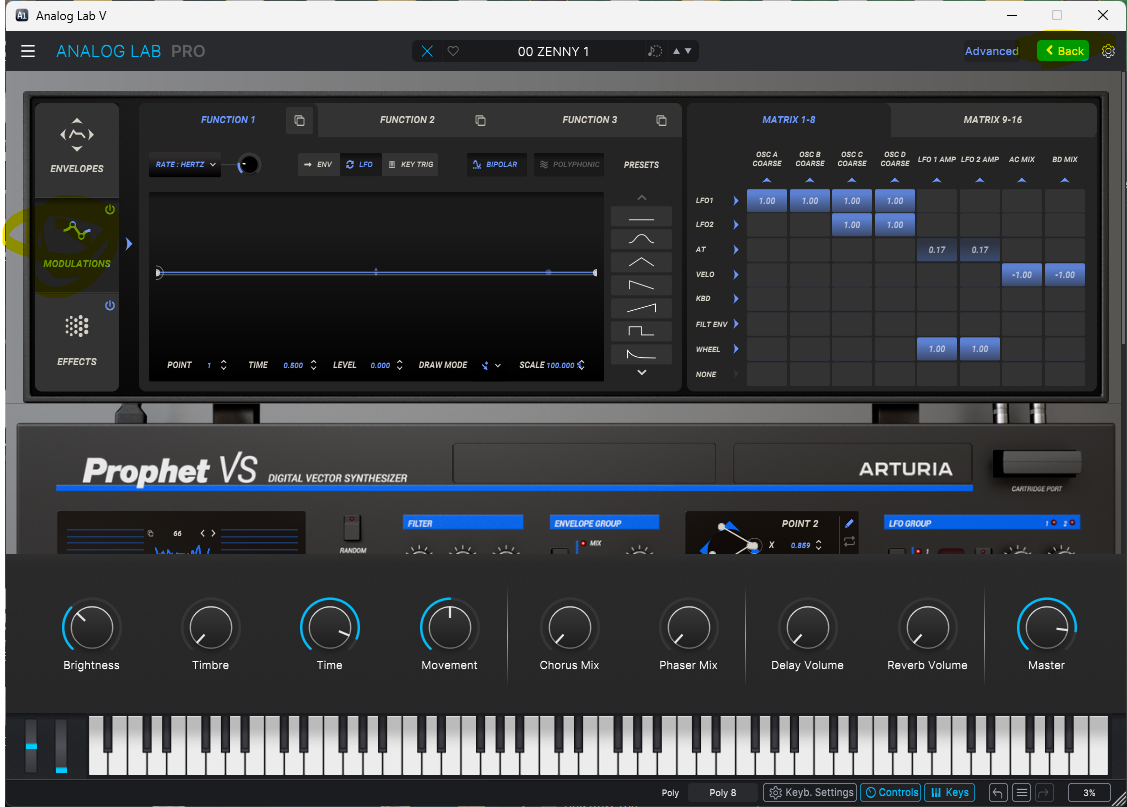
Click the ‘back’ icon in the top right hand corner once you’re happy, all the way to the main menu and hit ‘save preset as…’ in the main menu from the left hand ‘hamburger’ icon.
HTH!