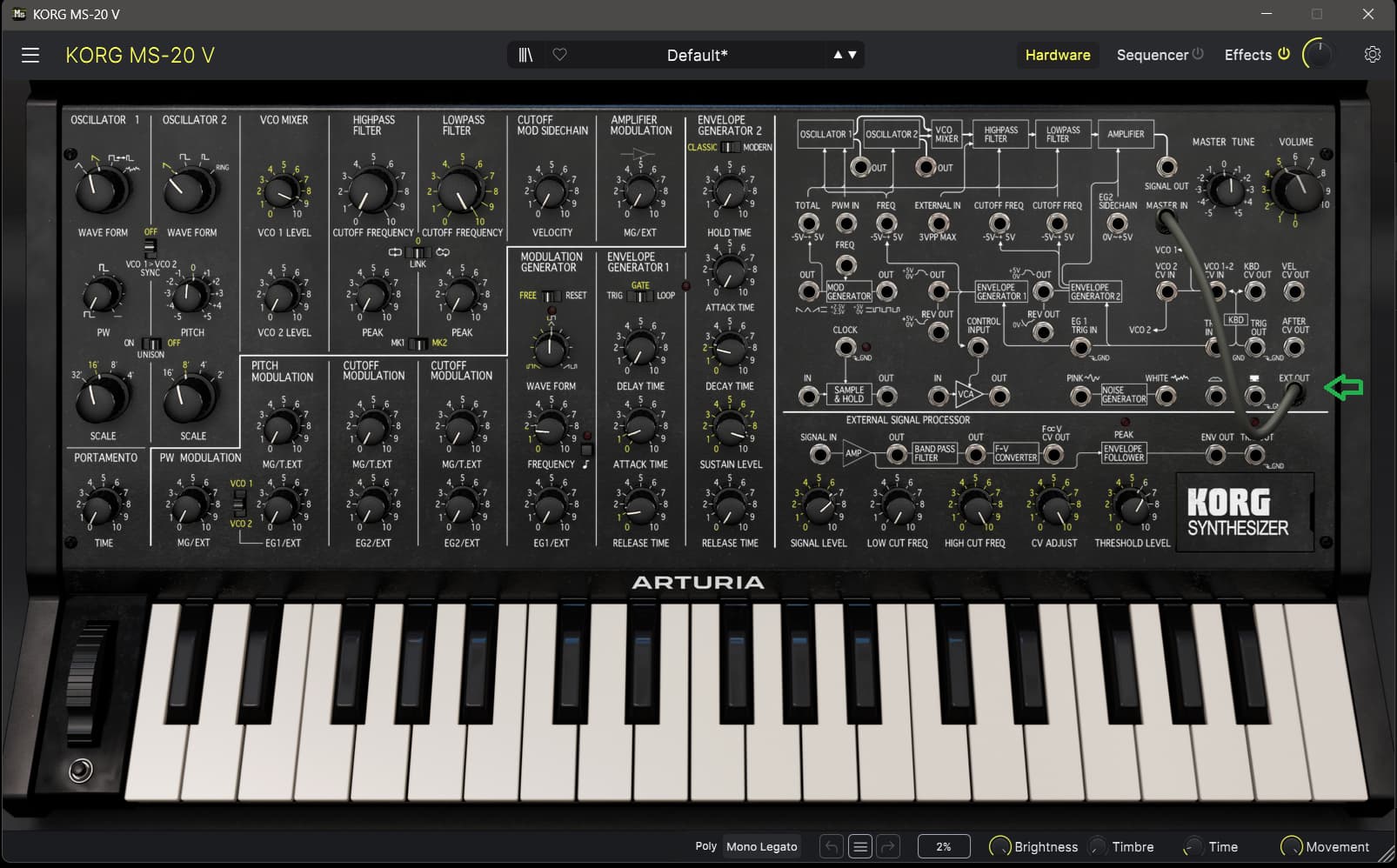
I found a quite simple way to route audio from audio in jacks through AL’s effects without any further processing and without having to press any keys using the Korg MS20-plugin that I haven’t found anywhere else so far. I use this to route an external instrument (accordion in my case) through AL and it works quite well.
Only downside is that I have to hit a key on the keyboard once the preset is selected to activate the newly selected preset. Maybe someone has an idea as how to avoid this step.
You can find an AnalogLab-preset in my Google drive: AudioThruMS20.labx - Google Drive
It’s normal to have to activate keys. Gates have to be opened before your hear any sound.
Some of the audio in presets might not need to press a key. Like the Korg MS-20 V presets Guitar Synthesizer l and ll perhaps - if those are available in Astrolab.
Pigments presets and most synths in generel only have gates open when a key is activated somehow.
If the gate is open all the time, then you hear sound all the time.
Some synths can be programmed so the gate is open all the time. But mostly pitch need to be added.
Activated key can be held.
Some synth can have possibilities to convert incoming audio to pitch. But perhaps not always perfect.
Pressing keys also add pitch to the sound.
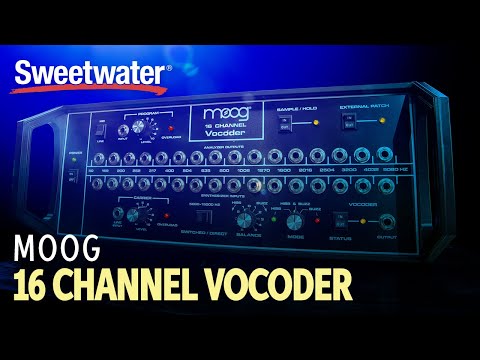
Have a look at this video demonstration of the hardware Moog Vocoder. For example try at 5:56:
Thanks. I’m now under the impression that I should be able to modify the audio input template inside AnalogLab to remove all references to envelope and triggering which should keep the gate open all the time.
I don’t have an Astrolab.
But Astrolab uses Arturias software synths. I don’t think Astrolab can add functionality an instrument don’t have already.
How have you got this impression?
Constant open gates are often used to make drones and drone like effects. Keep in mind, that open gates let the presets own sound through all the time - also when no audio is received, when no gate is closed. Using hold give you the possibility to not have sound all the time.
Also you still have the pitch to think about.
May i ask what you want to do?
You wish to use Audio input
But after that then what?
How will you control gate?
How will you control pitch?
The finger drummer takes care of all of that. Just need an open audio input. Just can’t find the secret to removing all the triggers. Doesn’t help that the Pigments interface changed in v5 and again in v6.
If you use the vocoder in Pigments effect section i assume. (Pigments have more audio input options.)
But as i see it, you still need to be able to set a pitch in Pigments. So you can just as well use hold.
I assume it’s also about the result you want.
In that case then you for example can create a preset in Korg MS-20 V.
Select Default preset.
Make a connection in the pathbay from EXT OUT to MASTER IN.
This will create an open gate thru. And it also allow you to use the synths internal effects.
Is that what you are looking for?
In ARP 2600 V you can do similar by making the patch connection from PREAMPLIFIER OUT to for example the Mixers Audio (VCA) IN.