Hi, I’ve bought a couple of sound banks in Analog Lab, and I want to be able to automate certain parameters, which I obviously cannot do.
The presets are in Pigments. For whatever reason, when I open Pigments individually, I cannot find these sound banks or any of the pigments presets from the sound banks.
I’ve tried support and don’e all they’ve suggested - delete the DB file, re-download and install, synchronise in Arturia Software Centre.
I’m running Pigments 7.
Is there anything I can try? As obviously Analog Lab is quite limiting.
Hi @jesusglue. Welcome to the community from me too.
Which Soundbank is it?
You say it’s Pigments presets. But are the presets saved in Pigments or Analog Lab format? Can you locate the Soundbank folder in Pigments preset folder on your computer drive?
FYI: You can open Pigments inside Analog Lab, if you own the full version of Pigments.
Pigments parameters can be automated when within AL. It’s not something I usually do but it appears for the automation to work, it is restricted to the controls mapped to the control surface - in my case Keylab MKII. So, I can automate the macros on my Keylab which are assigned to knobs 1-4 for example. You are free to change the knob/slider assignments to your desired parameters and then automate them. I hope I explained that clearly…
Presets saved in Pigments format will show up in both Pigments and in Analog Lab. But presets saved in Analog Lab format only show up in Analog Lab. Analog Lab presets can for example use Analog Labs effects that’s not in Pigments.
In Analog Lab store i can see, that the instrument name for the presets are Analog Lab. Also on the Sounds store web page i can see they are Analog Lab presets.
If you want to save the presets in Pigments format without possible added Analog Lab effects used, then it is possible.
You have to do a little trick by first start creating a Multi preset in Analog Lab, as you then can save each part using save as.
Try this:
Select a Analog Lab preset
Create a Analog Lab Multi preset of it. You don’t have to save the Multi.
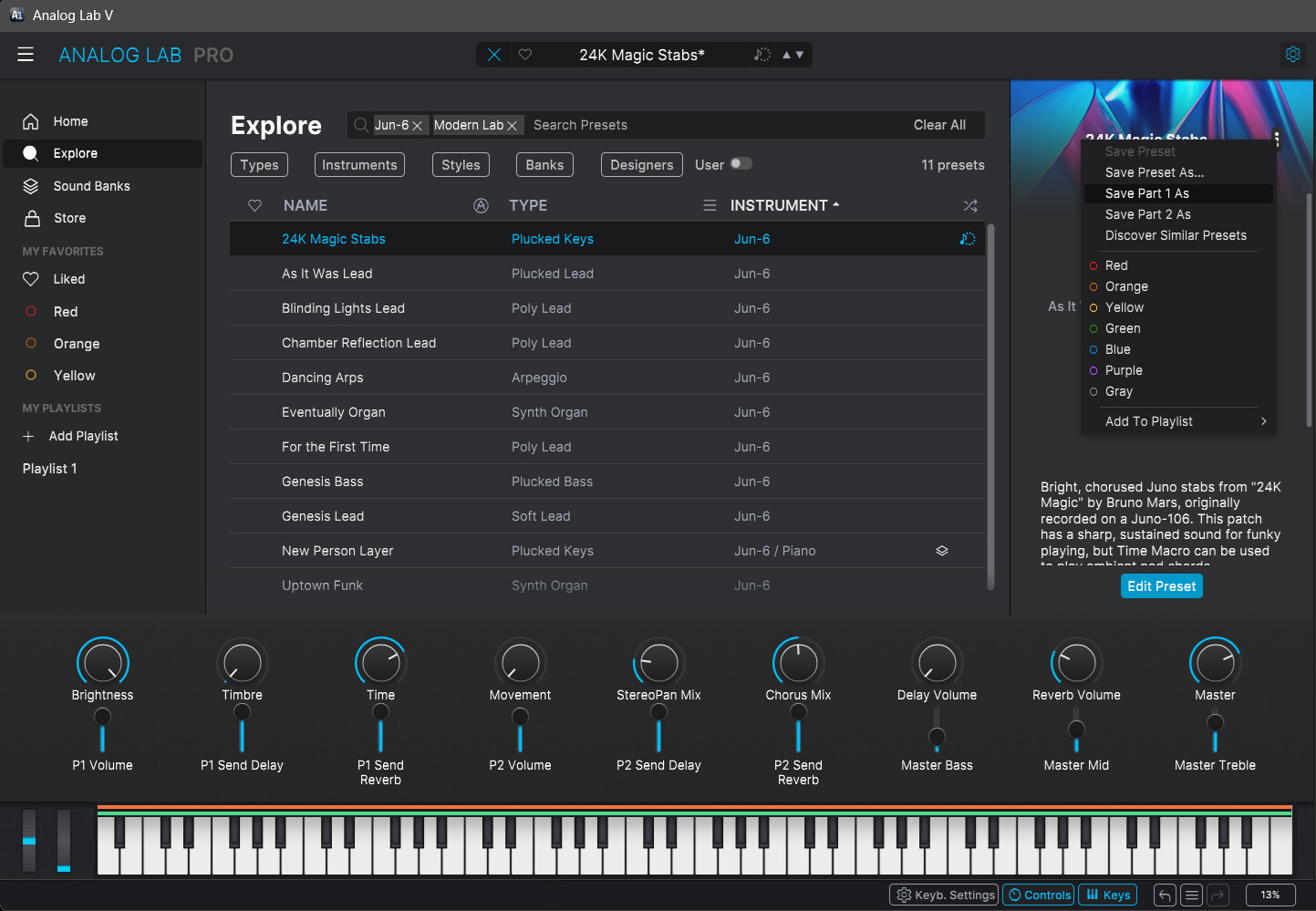
Now in click the 3 dots to the right. In the menu you now can select a Part Save as. This should save in the original instrument format.
You can assign Pigments parameters to controls in Analog Lab if you own and can open Pigments inside Analog Lab. This work for Analog Lab single presets.
Try this:
Open the preset.
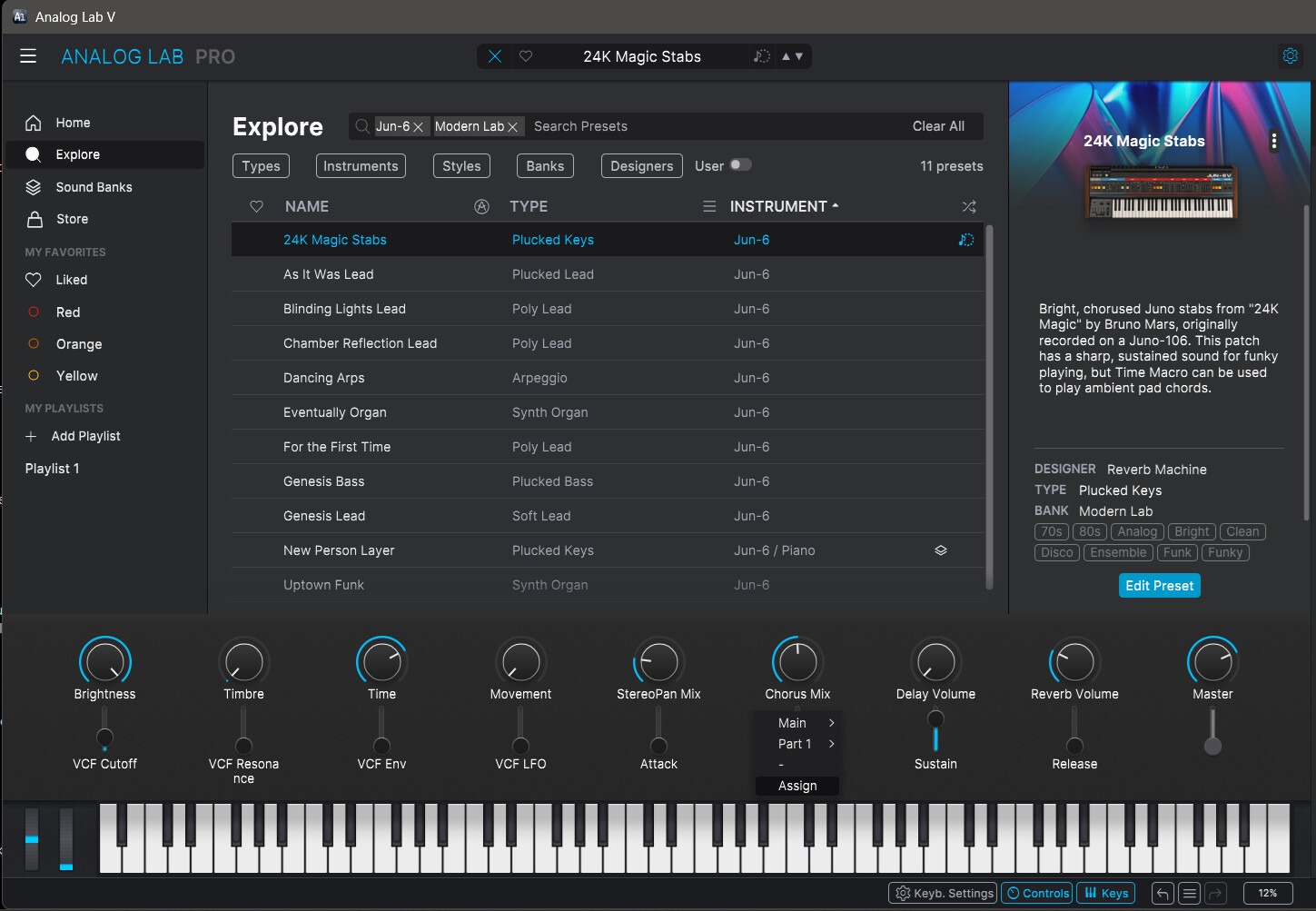
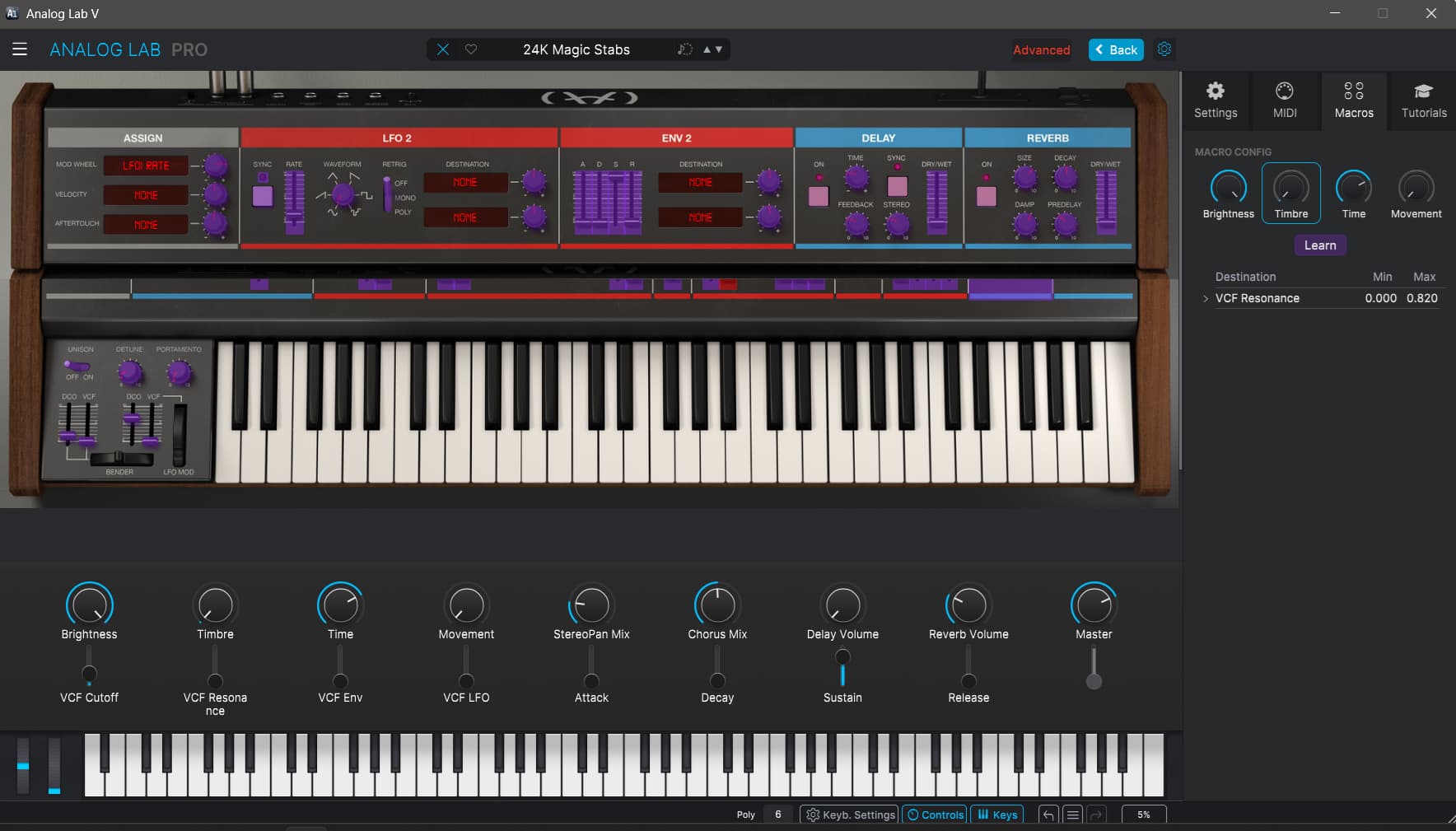
Click on the name for a none Macro assigned control. Click Assign in the menu. This opens the instrument.