I plugged a mike in the XLR input selected a Vocoder preset and tried fiddling with the input gain knob to no avail. I found nothing in the Astrolab 37 manual on the input gain knob.
Do I need a special mike?
I plugged a mike in the XLR input selected a Vocoder preset and tried fiddling with the input gain knob to no avail. I found nothing in the Astrolab 37 manual on the input gain knob.
Do I need a special mike?
A dynamic mic will work best, i don’t have an AstroLab, but i do have a MiniFreak and a VC340, both of which i use an old AKG D58E as it’s so directional and its frequency response is perfect for ‘Vocoding’. (Is that even a word? 

 )
)
HTH!
Hello Françoise, here are the specs for the hardware inputs of all AstroLabs:
Thank you, LBH.
I’m relatively familiar with Vocoders, the MF one, the Vocoder V and the Minifreak V. I have no problem with these vocoders. But it’s a good question for a newbie who may forget keyboard input.
Thank you, Mat!
I use the Microfreak and the Minifreak V vocoders without problem.
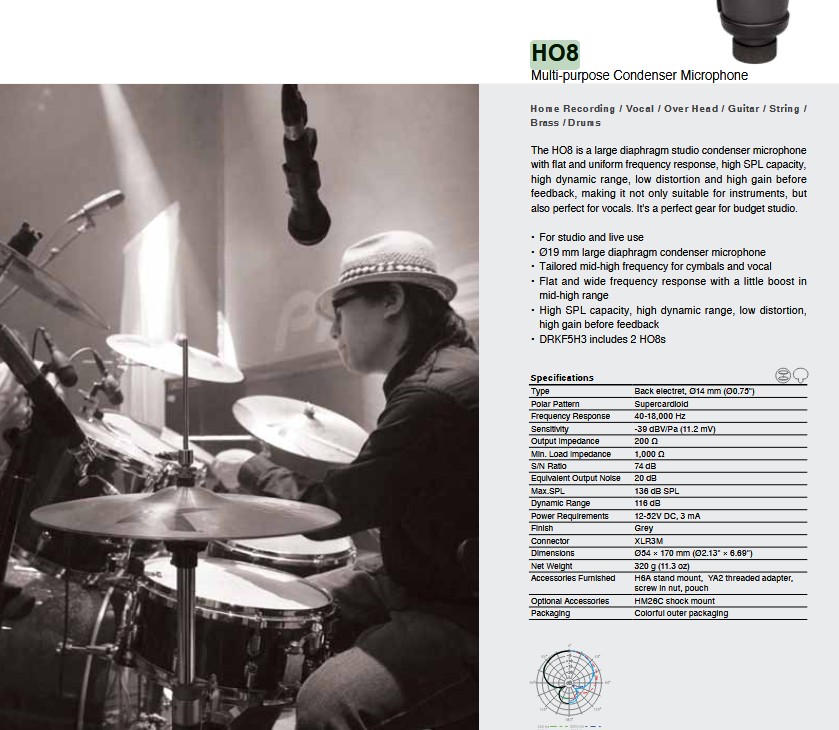
I was using a Superlux HO8 mike (for snare drum). It usually works fine but I’ll try with my better Studio Project mike.
I updated yesterday to firmware 1.7 but I doubt it will solve the issue.
Thank you, Lily.
I should point out that everything in the Astrolab 37 is great, beyond my expectations.
I bought it for the country. Works great with my 88 notes Yamaha P-145.
I’m a bit stubborn and I like problem solving. I may not use it but I want to solve the problem.
I’ll try to see if the mike I’m using complies with the specifications. I admit I don’t understand everything in the description.
I may be wrong but there seems to be a missing paragraph on the input gain button: it can be up or down and may be twisted.
Hi again @francoise
I just looked that mic up, and it appears it’s a condenser which needs phantom power.
HTH!
I came to the same conclusion after trying my Studio Project C1.
Both mikes I was using need the 48v phantom power switch on my USB box.
So solved: the Astrolab 37 (all?) vocoder needs a dynamic mic.
I can get one for 31,44 euro (50 cad). Will I?
I can vocode in analog lab with what I have.
Is vocoding in the country advisable? 
If you’re wanting to ‘Vocode’ in real time, then you can either use a dynamic mic, i’d suggest a Shure SM57/58 as they’re so useful for other jobs too, for use with either the AL37 or for with your interface and any Vocoder plugins you might have.
OR, you could record your audio first, and then run it through one of your Vocoder plugins afterwards.
The downside with the latter method, so i’ve found, is that it helps to perform through the Vocoder if you’re after a certain type of voice, if you want to sound like a ‘typical robot’, then it helps to talk in a ‘stiff’ and unemotional and undynamic way, rather than using ‘normal’ speech patterns and style.
Just singing or saying vowels, but sustained for a long time, can sound really cool through them.
Vocoders are loads of fun!
Thank you for the tips on vocoding, Mat!
In the country, I’m using the AL37 controlled by the Yamaha P-145. The P145 has its own speakers and the AL37 is plugged into an acoustic AER alpha amp.
The tips will be important in my urban settings. I like vocoding drum tracks.
Addendum: I remembered I had a small Yamaha MG06x mixer with phantom power.
It works great even better than the other vocoders I know (MF, Vocoder V, MininFreak V) but levels must be precisely adjusted.
Follow us for the hottest sounds, fresh content, exclusive offers and Arturia news as it happens.