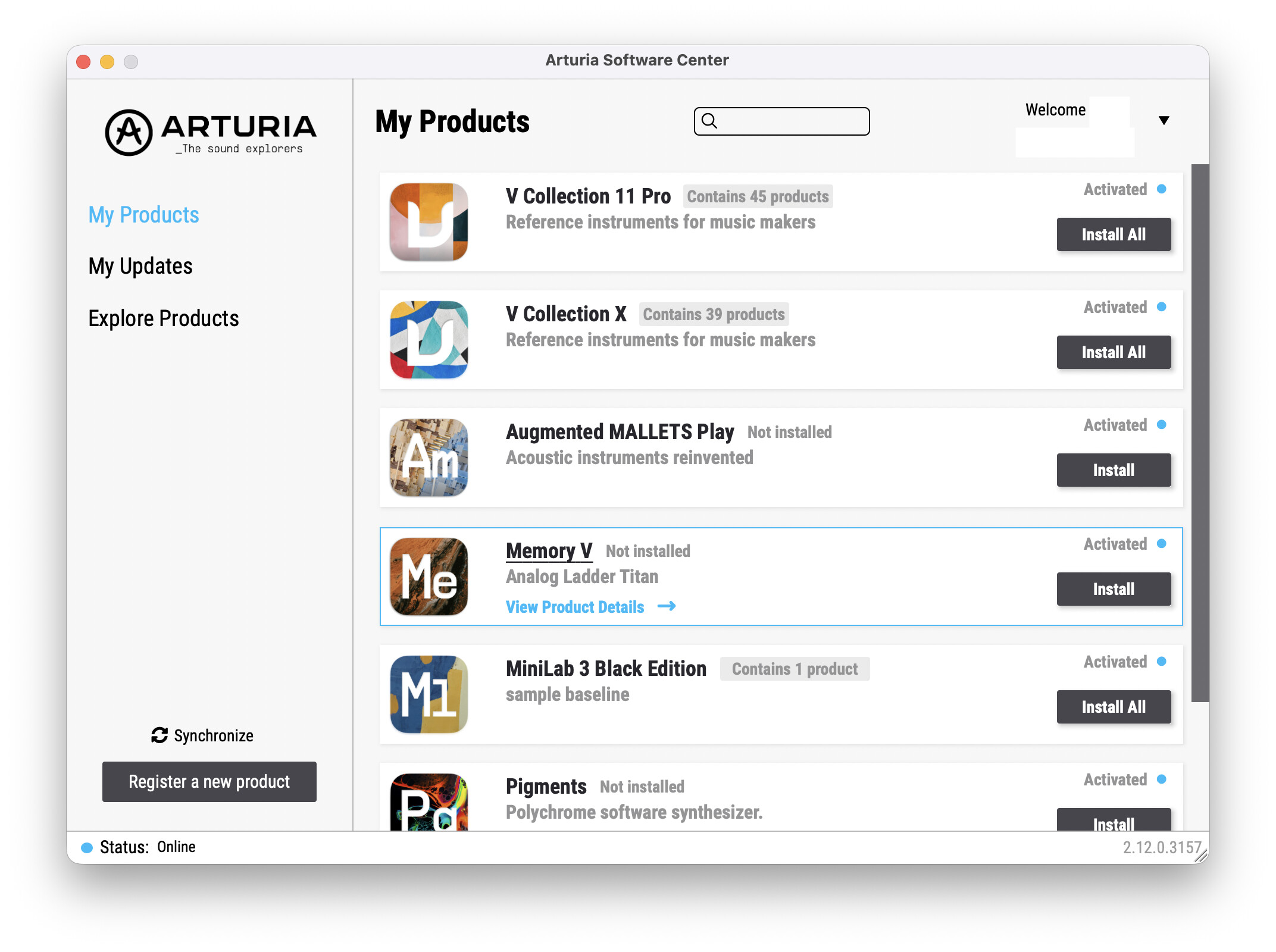
ASC shows that nothing is insstalled. WRONG! Everything is installed. I am using Memory V right now. It loads up fine in Logic Pro. The only thing not working here is ASC.
So, access to, and the operation of the plugins is not affected?
At the risk of challenging your user name, perhaps try the synchronise button first, then I would suggest installing the ASC, then downloading and installing a fresh copy.
I don’t know why you have issues with ASC all the time. I’m sorry you have this issues. To me it look like a local issue.
In addition to what @Funtmaster suggest. Have you tried this way:
If so - then i suggest you contact Arturia support.
I already tried the synchronise button. Also, keep in mind that when opening ASC it conducts a synchronisation - at least that is what is displayed on screen.
The plugins are installed. They show as activated. They work. But the button is there for all of them: Install. ASC has lost track of what is installed.
ASC is a piece of rubbish. I downloaded and installed a fresh copy to fix the last problem. I am fed up wasting my time doing this.
I won’t report this to ‘support’ because they were useless about this before. I don’t wish to waste more hours of my time diagnosing their software. Instead I will just report it here.
Hi, have you tried clearing your ASC cache?
- close the ASC completely
- go to your ‘/Library/ArturiaSC/Arturia Software Center’ folder, and then the / temp folder
(If you’re on PC it will be ProgramData not Library) - remove everything except updater, then re-open the ASC
This is not really the place to report issues - the Tech Support is. That way, if more than one person is experiencing the same issue, they may start to see a pattern. To me, it looks as if you are the only one having this issue at present or at least the only one posting about it.
1 Like
ASC is working just fine here. Does indeed seem like a local issue.
1 Like