Win11
Cubase Pro 14.0.30
MIDI Control Centre 1.20.0.172
MiniLab MK II Firmware 1.1.2
Analog Lab Pro 5.11.2.6235
I disabled the midi output:
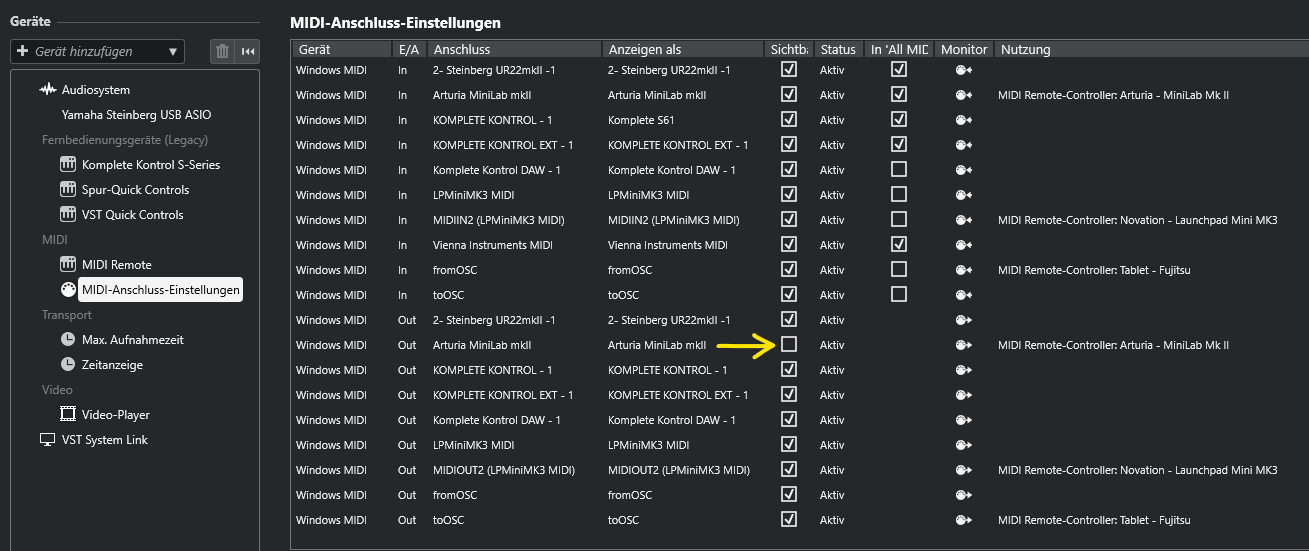
That did not solve the problem.
Win11
Cubase Pro 14.0.30
MIDI Control Centre 1.20.0.172
MiniLab MK II Firmware 1.1.2
Analog Lab Pro 5.11.2.6235
I disabled the midi output:
That did not solve the problem.
Are we ever going to get a fix for this??
Amazing this is still a thing, what’s up Arturia? Nothin?
I’m having the same problem with Cubase 14 and Keylab 49. I’m curious to see if there will be a fix soon. The whole thing is extremely annoying.
I dont have a problem in cubase it works fine… however in akai mpc 3 software even when i disable i get the pop-up and i dont see the instruments on the keyboard dispaly. If i manually select them i can play on keyboard… anyone have a fix…
Same issue, but in Ableton. Even with everything turned off outputwise on my Keylab 49 the error message pops up. I can simply click okay and it goes away but it’s an unnecessary step. Good to know it’s not actually me.
Any update… i dont have this problem in cubase 14 but i do and have had the problem in MPC desktop software versions 2 and now 3…
Morning All.
I installed the latest batch of updates yesterday and the midi port error has gone. The release information for the update doesnt specifically mention Cubase but it’s fixed the problem.
Thanks to the boys and girls at Arturia for sorting this out as it was getting annoying. Maybe it wasnt quite as annoying as being attacked by a lion or a shark but still quite annoying.
Thank you.
After all this time, I still get this error every time I load any Arturia plugin or standalone.  I really don’t understand how something like this can go on this long.
Follow us for the hottest sounds, fresh content, exclusive offers and Arturia news as it happens.